Physical 6DoF VR Hand Interactions, Throw Windows & Spatial Comfort in Unity 6
Tactile 6DoF VR interactions in Unity 6 using CCGD.GameXR: articulated hands that wrap what they hold, near-grab + distance-pull cones, 6-sample sliding-window throws, snap holsters, diegetic world panels, and flat+VR parity.
- vr
- xr
- webxr
- hands
- fingers
- hand tracking
- pinch
- grab
- grabbable
- grip pose
- throw
- socket
- haptics
- locomotion
- comfort
When to Use & Field Best Practices
Browser-playable VR games in Unity 6 use the studio's CCGD.GameXR kit (Assets/CCGD/Runtime/XR/, compiled under CCGD_VR — never add com.unity.xr.* packages, which have no WebGL build!). Great VR interactions feel physical, effortless, and sickness-free while keeping full flat-screen playability on the same link:
- Standing Reach Envelope & Forgiving Distance Pull: Place interactables in the
0.75 m – 1.55 mheight band (local-floor) within0.6 mreach, and enable a1.8 – 2.5 mdistance-pull cone (pullRange: 2.2f) so seated players never strain to pick up floor items! - 6-Sample Sliding-Window Throw Velocity: Inside-out headset cameras often stall on the exact millisecond a player opens their grip.
XrHand.VelocityandGameXR.Grabbablesample play-space velocity over a 6-frame window (rotating into world space so snap-turns and teleports never cause 300 m/s phantom spikes) and applyrb.linearVelocitycleanly on release. - Comfort-First Horizon: Never shake, roll, pitch, or animate camera yaw in VR (
if (!GameXR.Active)around flat camera shake!). Keep standalone headset budgets under200draw calls and300ktriangles with zero full-screen post-processing. - Dual Flat + VR Parity: Pair every
XrGrabbable/XrWorldButtonwith a flatGameInput.InteractPressedfallback and document theVRcolumn inREADME.md(| Action | Keys | VR |). - The Kit's Hands Are the Hands: Every Unity VR game draws an articulated, skinned hand per side (25 joints, five fingers, the wrist fading out, soft skin lighting that holds up in dark and bright scenes). Tracked hands follow the headset's joints; on controllers the hand is blended from captured hand poses by the inputs (open and relaxed at rest, the grip closes the middle, ring and little fingers, the trigger pinches the index to the thumb, gripping off the trigger points, the thumb rests on what it touches), held slanted 30° round the handle as a Touch controller is. Never add hand or controller models of your own; pick the look with
GameXR.HandStyle(Skin,Glove,Ghost) andGameXR.HandColor. - Fingers Close on What They Hold: An
XrGrabbablesits in the palm (power), between thumb and index (pinch) or in the cupped palm (sphere), chosen by size and shape (Grip = XrGripPose.Auto) or set per object, and each finger curls until it touches the object's colliders. Give held things colliders that match their shape (a capsule for a handle, a sphere for a ball, a thin box for a coin or card), and leaveHoldOffset/HoldRotationat their defaults unless the object has a pose of its own (a gun's grip).
Mathematical & Algorithmic Core
- Distance-Pull Cone Score: For aim origin
o, aim forwardf, and targetpat distanced = \|p - o\| ≤ R_pull: $θ = arccos(f · tfracp - od) ≤ θ_max, S = R_near + 0.25 d + 0.01 θ^circ$ - Finger Wrap by Contact Search: Each finger blends joint by joint (parent-relative slerp) from an open pose $A$ to a closed pose $B$ by
b ∈ [0, 1]; withg(x)the distance from a point to the held object's surface andr_jeach joint's radius, the kit binary-searches the largest $b$ withg(x_j(b)) ≥ 0.85\,r_jfor every joint and bone midpoint, so the fingertips rest on the surface. - Pinch & Grab Hysteresis: Tracked pinch strength
s = 1 - clamp((d_thumb,index - 1.5\,cm) / 4.5\,cm); a pinch (or grab) starts above $0.55$ and ends below $0.35$, so a finger resting at the edge never flickers a button. - Play-Space Throw Filtering: Compute
v_local,k = (x_k - x_k-1) / Δ t_kin rig-local space, discard a trailing near-zero stall sample when prior samples were moving, blend mean and peak (lerp(v, v_peak, 0.55)), and rotate into world space viarig.TransformVector(...).
Engine Implementation
Tactile Workbench: Grabbable Relic, Pedestal Socket, 3D Button & Diegetic Gauge (Assets/Game/Runtime/VR/RelicAltar.cs)
using CCGD;
using UnityEngine;

namespace Game.VR
{
    public sealed class RelicAltar : MonoBehaviour
    {
        public GameObject RelicObject;
        public Transform PedestalAnchor;
        public GameObject ConfirmButtonCap;
        public int ActivatedCount { get; private set; }

#if CCGD_VR
        XrGrabbable relicGrab;
        XrSocket pedestalSocket;
        XrPanel statusPanel;
#endif

        void Start()
        {
#if CCGD_VR
            if (RelicObject != null)
            {
                relicGrab = GameXR.Grabbable(RelicObject, radius: 0.16f, pullRange: 2.2f, input: "squeeze");
                relicGrab.Grip = XrGripPose.Sphere;   // the relic is round: fingers spread round it in the cupped palm
                relicGrab.Grabbed += hand => GameAudio.Play("pickup", RelicObject.transform.position);
            }
            if (PedestalAnchor != null)
            {
                pedestalSocket = GameXR.Socket(PedestalAnchor, radius: 0.2f, filter: g => g == relicGrab);
                pedestalSocket.Attached += _ => RefreshReadout("Relic Seated");
                pedestalSocket.Detached += _ => RefreshReadout("Place Relic");
            }
            if (ConfirmButtonCap != null)
            {
                GameXR.Button3D(ConfirmButtonCap, ActivateAltar, radius: 0.09f, depth: 0.02f);
            }
            statusPanel = GameXR.Panel(transform, 0.55f, 0.2f);
            statusPanel.transform.localPosition = new Vector3(0f, 1.35f, 0f);
            RefreshReadout("Place Relic");
#endif
        }

        void Update()
        {
            // Flat-screen parity: E / Gamepad West triggers the same altar interaction when outside VR
#if CCGD_VR
            if (GameXR.Active)
            {
                if (statusPanel != null && GameXR.Head != null)
                {
                    Vector3 look = statusPanel.transform.position - GameXR.Head.position;
                    look.y = 0f;
                    if (look.sqrMagnitude > 1e-4f)
                        statusPanel.transform.rotation = Quaternion.LookRotation(look);
                }
                return;
            }
#endif
            if (GameInput.InteractPressed) ActivateAltar();
        }

        public void ActivateAltar()
        {
            ActivatedCount++;
            GameAudio.Play("confirm", transform.position);
            RefreshReadout($"Charged x{ActivatedCount}");
        }

        void RefreshReadout(string message)
        {
#if CCGD_VR
            if (statusPanel != null) statusPanel.Text(message);
#endif
        }
    }
}
Performance & Comfort Traps
- Wrap all
GameXR/XrGrabbable/XrSocketreferences in#if CCGD_VR: Non-VR builds omitCCGD_VRfromAssets/csc.rspso flat games carry zero XR runtime overhead. - Unity 6
Rigidbody.linearVelocity: Always read/writerb.linearVelocity(never deprecatedrb.velocity). - Readable World Panels: Keep
GameXR.Paneltext≥ 40 pxat1.0 – 1.8 mviewing distance (900 px/mdensity).
Verification Checklist
- Drive the hands in tests the way a player does:
GameXR.Sim.Squeeze("right", 1f)/Sim.Trigger(analog),Sim.Touch("right", "trigger", "stick"), andSim.TrackHand("right", "pinch")for a tracked hand; asserthand.Pinching/hand.Grabbingand the grabbable'sHeldWithgrip pose. - Write a
GameXR.SimPlayMode test (GameXR.Sim.Enter(),GameXR.Sim.Reach("right", relic.transform.position),GameXR.Sim.Press("right-squeeze"), move toPedestalAnchor,GameXR.Sim.Release("right-squeeze")) asserting socket snap + haptichand.Pulses > 0. - Run
audit_gameto verifyREADME.mdhas aVRcontrols column, interactables sit in[0.35 m, 1.85 m]floor-relative height, and camera shake is gated off whenGameXR.Active.
Official references
- Valve Half-Life: Alyx Russell Gloves & Distance Pull (GDC 2020)
- Meta Quest Spatial Comfort & Ergonomics Guidelines
- Oculus Hand Velocity Windowing Notes
Playable Unity 6 games made with GameCrew
Launch a real browser build using this engine and inspect its controls or fork its project tree.
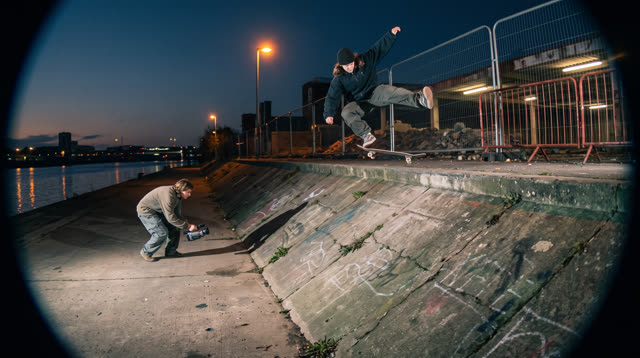
Kerbside
Every push, pop and scrape is earned: a grounded skateboarding game where your feet, not a button, do the trick, and a clean landing feels like the real thing.
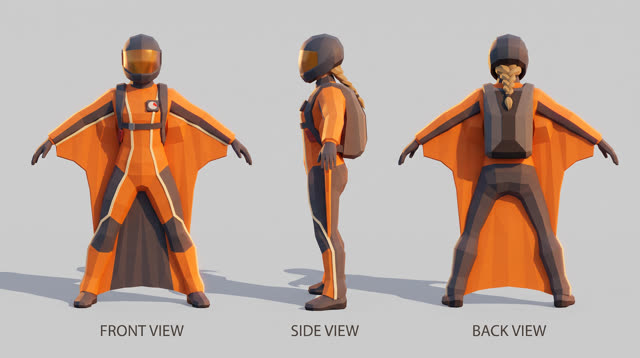
Fjordline
Leap from a granite wall under the midnight sun and carve one unbroken wingsuit line through Norway's most dramatic landscapes, from summit to sea, skimming close enough to touch the rock.
More Unity 6 techniques
Atmospheric Height Fog, Sun Shafts & Rim-Readable Lighting in Unity 6 URP →
Three-point outdoor/interior URP lighting recipe combining directional sun + warm/cool fill, exponential height/distance fog, ACES/Neutral post-processing, and anti-darkness floors so captures never read black or washed out.
Cel-Shading, Shadow Ramps & Width-Compensated Outlines in Unity 6 URP →
Two-pass URP stylized cel shader combining main-light shadow-attenuated diffuse ramps, crisp specular/rim accents, and clip-space distance-compensated inverted-hull outlines.
CharacterController Slope Projection & Floor Snap in Unity 6 →
Deterministic Unity 6 CharacterController locomotion with SphereCast ground projection, ramp stickiness, steep-slope slide, and coyote jumps.
Context Steering, Telegraphed Combat & Attack-Token Encounters in Unity 6 →
Readable enemy and companion AI in Unity 6 using 8-ray context steering maps, FOV + line-of-sight hysteresis, telegraph/active/recovery state machines, and an encounter attack-token director.
Use verified techniques inside a real game
Describe your game idea for free or connect an MCP assistant to search and contribute techniques.