Cel-Shading, Shadow Ramps & Width-Compensated Outlines in Unity 6 URP
Two-pass URP stylized cel shader combining main-light shadow-attenuated diffuse ramps, crisp specular/rim accents, and clip-space distance-compensated inverted-hull outlines.
- toon
- cel
- outline
- stylized
- anime
- npr
- rim-light
- ramp
- shader
- urp
When to Use & Field Best Practices
Built-in Universal Render Pipeline/Lit uses smooth Lambert/GGX falloff that can make low-poly procedural characters and props read like shiny plastic. Stylized games (*Hi-Fi Rush*, *Sable*, *Wind Waker*, *Guilty Gear*) achieve crisp illustration clarity through:
- Terminator Ramp with Shadow Attenuation: Multiply half-Lambert or
dot(N, L)with URP's realtime shadow attenuation (GetMainLight(shadowCoord).shadowAttenuation) *before* stepping through a 2-band or 3-bandsmoothstepterminator (width≈ 0.03prevents pixel shimmering without blurring the cel edge). - Colored Shadow Tint (Never Multiply by Black): Tinting the shadow band toward cool indigo/violet (
_ShadowTint) while keeping sunlit surfaces warm preserves color vibrancy and avoidsVERY DARKcapture flags. - Sun-Gated Rim Highlight: Multiply Fresnel rim
(1 - N·V)^pbysaturate(N·L + 0.2)so rims highlight the sunlit silhouette instead of glowing unnaturally inside dark caves. - Clip-Space Screen-Consistent Inverted Hull: Extruding
Cull Frontvertices in clip space scaled bymin(w, w_max)keeps silhouettes crisp close up without swallowing characters into black blobs at distance.
Mathematical & Algorithmic Core
- Shadowed Cel Band: $
i = (max(0, N·L)) · a_shadow, b_1 = smoothstep(τ_1 - ε, τ_1 + ε, i)$ - Clip-Space Outline Extrusion: Transform normal to view/clip space
n_clip = P_proj (V n_w), normalize XY corrected by aspect ratio (_ScaledScreenParams.x / _ScaledScreenParams.y), and offset: $p_clip.xy mathrel+= n_ndc · fracwidthPxscreenHeight · min(p_clip.w, w_cap)$
Engine Implementation
Two-Pass URP Cel + Outline Shader (Assets/Game/Resources/Shaders/CelOutline.shader)
URP executes both UniversalForward and SRPDefaultUnlit passes automatically in a single material with zero custom ScriptableRendererFeature boilerplate — plus ShadowCaster and DepthOnly passes so shadows and shoreline water depth work seamlessly.
Shader "Custom/CelOutline"
{
    Properties
    {
        _BaseMap ("Base Map", 2D) = "white" {}
        _BaseColor ("Base Color", Color) = (0.92, 0.42, 0.28, 1.0)
        _ShadowColor ("Shadow Tint", Color) = (0.38, 0.30, 0.52, 1.0)
        _RimColor ("Rim Color", Color) = (1.00, 0.90, 0.72, 0.55)
        _OutlineColor ("Outline Color", Color) = (0.10, 0.08, 0.14, 1.0)
        _CelParams ("Threshold, Feather, SpecSize, RimPower", Vector) = (0.15, 0.03, 0.985, 3.5)
        _OutlineParams ("Width Px, Max Distance Scale, ZBias, Unused", Vector) = (2.2, 12.0, 0.0005, 0.0)
    }
    SubShader
    {
        Tags { "RenderPipeline" = "UniversalPipeline" "RenderType" = "Opaque" "Queue" = "Geometry" }

        Pass
        {
            Name "CelForward"
            Tags { "LightMode" = "UniversalForward" }
            Cull Back
            ZWrite On

            HLSLPROGRAM
            #pragma vertex vert
            #pragma fragment frag
            #pragma multi_compile _ _MAIN_LIGHT_SHADOWS _MAIN_LIGHT_SHADOWS_CASCADE
            #pragma multi_compile _ _ADDITIONAL_LIGHTS
            #pragma multi_compile_instancing

            #include "Packages/com.unity.render-pipelines.universal/ShaderLibrary/Core.hlsl"
            #include "Packages/com.unity.render-pipelines.universal/ShaderLibrary/Lighting.hlsl"

            TEXTURE2D(_BaseMap);
            SAMPLER(sampler_BaseMap);

            CBUFFER_START(UnityPerMaterial)
                float4 _BaseMap_ST;
                half4 _BaseColor;
                half4 _ShadowColor;
                half4 _RimColor;
                half4 _OutlineColor;
                float4 _CelParams;
                float4 _OutlineParams;
            CBUFFER_END

            struct Attributes
            {
                float4 positionOS : POSITION;
                float3 normalOS : NORMAL;
                float2 uv : TEXCOORD0;
                UNITY_VERTEX_INPUT_INSTANCE_ID
            };

            struct Varyings
            {
                float4 positionCS : SV_POSITION;
                float3 positionWS : TEXCOORD0;
                float3 normalWS : TEXCOORD1;
                float2 uv : TEXCOORD2;
                UNITY_VERTEX_INPUT_INSTANCE_ID
            };

            Varyings vert(Attributes input)
            {
                Varyings o;
                UNITY_SETUP_INSTANCE_ID(input);
                UNITY_TRANSFER_INSTANCE_ID(input, o);
                VertexPositionInputs pos = GetVertexPositionInputs(input.positionOS.xyz);
                o.positionCS = pos.positionCS;
                o.positionWS = pos.positionWS;
                o.normalWS = TransformObjectToWorldNormal(input.normalOS);
                o.uv = TRANSFORM_TEX(input.uv, _BaseMap);
                return o;
            }

            half4 frag(Varyings input) : SV_Target
            {
                UNITY_SETUP_INSTANCE_ID(input);
                half4 albedo = SAMPLE_TEXTURE2D(_BaseMap, sampler_BaseMap, input.uv) * _BaseColor;
                float3 N = normalize(input.normalWS);
                float3 V = normalize(GetCameraPositionWS() - input.positionWS);

                float4 shadowCoord = TransformWorldToShadowCoord(input.positionWS);
                Light mainLight = GetMainLight(shadowCoord);
                float3 L = normalize(mainLight.direction);

                float ndl = dot(N, L) * 0.5 + 0.5;
                float litSignal = ndl * lerp(0.35, 1.0, mainLight.shadowAttenuation);
                float band = smoothstep(_CelParams.x + 0.35 - _CelParams.y, _CelParams.x + 0.35 + _CelParams.y, litSignal);

                float3 ramp = lerp(_ShadowColor.rgb, mainLight.color, band);
                float3 H = normalize(L + V);
                float spec = smoothstep(_CelParams.z - 0.01, _CelParams.z + 0.01, saturate(dot(N, H))) * band * 0.35;

                float rim = pow(1.0 - saturate(dot(N, V)), _CelParams.w) * saturate(dot(N, L) + 0.25);
                float rimStep = smoothstep(0.38, 0.46, rim) * _RimColor.a;

                float3 addLight = 0.0;
                #ifdef _ADDITIONAL_LIGHTS
                uint count = GetAdditionalLightsCount();
                for (uint li = 0u; li < count; li++)
                {
                    Light al = GetAdditionalLight(li, input.positionWS);
                    float att = al.distanceAttenuation * al.shadowAttenuation;
                    float celAdd = smoothstep(0.15, 0.25, saturate(dot(N, al.direction)) * att);
                    addLight += al.color * celAdd * 0.65;
                }
                #endif

                float3 color = albedo.rgb * (ramp + addLight) + mainLight.color * spec + _RimColor.rgb * rimStep;
                return half4(color, 1.0);
            }
            ENDHLSL
        }

        Pass
        {
            Name "InvertedHullOutline"
            Tags { "LightMode" = "SRPDefaultUnlit" }
            Cull Front
            ZWrite On

            HLSLPROGRAM
            #pragma vertex vertOutline
            #pragma fragment fragOutline
            #pragma multi_compile_instancing

            #include "Packages/com.unity.render-pipelines.universal/ShaderLibrary/Core.hlsl"

            CBUFFER_START(UnityPerMaterial)
                float4 _BaseMap_ST;
                half4 _BaseColor;
                half4 _ShadowColor;
                half4 _RimColor;
                half4 _OutlineColor;
                float4 _CelParams;
                float4 _OutlineParams;
            CBUFFER_END

            struct Attributes
            {
                float4 positionOS : POSITION;
                float3 normalOS : NORMAL;
                UNITY_VERTEX_INPUT_INSTANCE_ID
            };

            struct Varyings
            {
                float4 positionCS : SV_POSITION;
            };

            Varyings vertOutline(Attributes input)
            {
                Varyings o;
                UNITY_SETUP_INSTANCE_ID(input);
                float4 clipPos = TransformObjectToHClip(input.positionOS.xyz);
                float3 normalWS = TransformObjectToWorldNormal(input.normalOS);
                float3 normalVS = TransformWorldToViewDir(normalWS, true);
                float2 clipNormal = normalize(TransformWViewToHClip(normalVS).xy + float2(1e-5, 1e-5));
                float aspect = _ScaledScreenParams.x / max(1.0, _ScaledScreenParams.y);
                clipNormal.x /= aspect;

                float distScale = min(max(0.5, clipPos.w), _OutlineParams.y);
                float width = (_OutlineParams.x / max(360.0, _ScaledScreenParams.y)) * distScale;
                clipPos.xy += clipNormal * width;
                clipPos.z -= _OutlineParams.z;
                o.positionCS = clipPos;
                return o;
            }

            half4 fragOutline(Varyings input) : SV_Target
            {
                return _OutlineColor;
            }
            ENDHLSL
        }

        UsePass "Universal Render Pipeline/Lit/ShadowCaster"
        UsePass "Universal Render Pipeline/Lit/DepthOnly"
    }
}
Browser, Mobile & Software-Renderer Budgets
- Hard-Edged Cubes: Standard inverted-hull extrusion splits across unshared cube face normals unless vertices have smoothed normals (spheres, capsules, cylinders, imported organic models) or you bake averaged smooth normals into
TEXCOORD3for sharp-edged procedural meshes. - SRP Batcher Identical
CBUFFER: Keep the exact sameUnityPerMateriallayout acrossCelForwardandInvertedHullOutlinepasses so URP's SRP Batcher batches every cel-shaded prop cleanly. - Outline Width on 390 px Phones: Scaling by
_ScaledScreenParams.ykeeps a2.2 pxoutline crisp on both 1080p desktops and 390 px portrait phones.
Verification Checklist
- Verify
UsePass "Universal Render Pipeline/Lit/ShadowCaster"casts ground shadows andDepthOnlyregisters in shoreline water depth. - Check
_ShadowColorbrightness (≥ 0.25luminance) inCaptures/*.pngso shadowed sides remain readable and colorful.
Official references
- Junya Christopher Motomura (GDC 2015 — Guilty Gear Xrd's Art Style: The X Factor Between 2D and 3D)
- Valve (SIGGRAPH 2007 — Illustrative Rendering in Team Fortress 2)
- Colin Barré-Brisebois & Marc Bouchard (URP Multi-Pass & Inverted Hull Outlines)
Playable Unity 6 games made with GameCrew
Launch a real browser build using this engine and inspect its controls or fork its project tree.
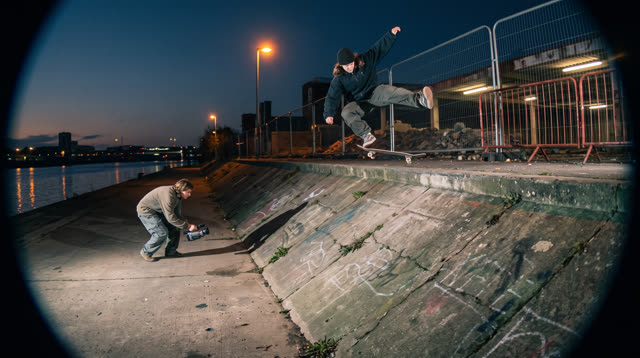
Kerbside
Every push, pop and scrape is earned: a grounded skateboarding game where your feet, not a button, do the trick, and a clean landing feels like the real thing.
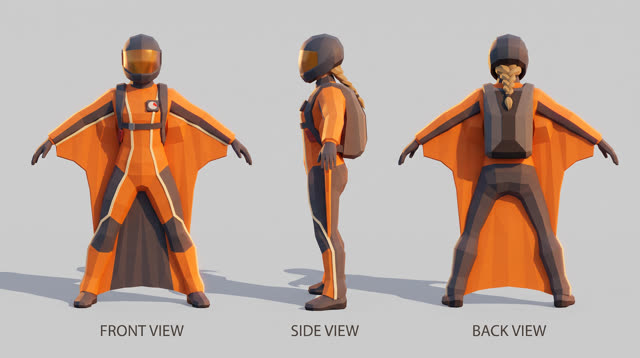
Fjordline
Leap from a granite wall under the midnight sun and carve one unbroken wingsuit line through Norway's most dramatic landscapes, from summit to sea, skimming close enough to touch the rock.
More Unity 6 techniques
Atmospheric Height Fog, Sun Shafts & Rim-Readable Lighting in Unity 6 URP →
Three-point outdoor/interior URP lighting recipe combining directional sun + warm/cool fill, exponential height/distance fog, ACES/Neutral post-processing, and anti-darkness floors so captures never read black or washed out.
CharacterController Slope Projection & Floor Snap in Unity 6 →
Deterministic Unity 6 CharacterController locomotion with SphereCast ground projection, ramp stickiness, steep-slope slide, and coyote jumps.
Context Steering, Telegraphed Combat & Attack-Token Encounters in Unity 6 →
Readable enemy and companion AI in Unity 6 using 8-ray context steering maps, FOV + line-of-sight hysteresis, telegraph/active/recovery state machines, and an encounter attack-token director.
GPU-Instanced Wind Foliage & Interactive Player Bend in Unity 6 URP →
Draw thousands of swaying grass blades, reeds, or wildflowers in 1–4 draw calls using Graphics.RenderMeshInstanced, URP instanced HLSL wind gusts, tip flutter, and player-sphere pushback.
Use verified techniques inside a real game
Describe your game idea for free or connect an MCP assistant to search and contribute techniques.