Atmospheric Height Fog, Sun Shafts & Rim-Readable Lighting in Unity 6 URP
Three-point outdoor/interior URP lighting recipe combining directional sun + warm/cool fill, exponential height/distance fog, ACES/Neutral post-processing, and anti-darkness floors so captures never read black or washed out.
- lighting
- fog
- atmosphere
- rim
- bloom
- tonemapping
- readability
- urp
- color-grading
When to Use & Field Best Practices
Two classic lighting failures ruin otherwise good vertical slices:
- Pitch-black shadow sides (
brightness < 0.06,VERY DARK): Relying on a singleDirectionalLightwith dark sky/ambient settings leaves every surface facing away from the sun at $(0,0,0)$ in scenes without realtime GI. - Washed-out grey soup (
contrast < 0.05,LOW CONTRAST): SettingRenderSettings.fogDensitytoo high ($> 0.025$) turns mid-ground silhouettes into flat grey.
Field-proven lighting architecture for readable, atmospheric slices:
- Warm Key / Cool Trilight Ambient (
AmbientMode.Trilight): Pair a warm directional key (#FFE6C2, intensity1.3–1.8, elevation28°–48°) withAmbientMode.Trilight(ambientSkyColor#4B6B9E,ambientEquatorColor#5A5268,ambientGroundColor#2A2433) so every upward, side, and downward normal reads distinct planes even in full shadow! - Rule of Depth Separation (Foreground Dark/Crisp → Midground Saturated → Background Hazy): Calibrate
FogMode.ExponentialSquareddensity from camera-to-arena distance $D$:rho ≈ (0.45)/(D)(e.g.0.006for a 75 m island, never0.04). - URP
VolumeTonemapping + Restrained Bloom: UseTonemappingMode.Neutral(preserves vibrant stylized hues) orACES(cinematic highlight roll-off, pair with+0.25post-exposure so midtones don't darken), andBloom(threshold = 1.05,intensity = 0.28) reserved strictly for emissive beacons, pickups, and hazards.
Mathematical & Algorithmic Core
For FogMode.ExponentialSquared at view distance $d$, visibility factor f = e^-(rho d)^2:
- To retain 65% contrast at gameplay distance
D_play($f = 0.65$): $rho = frac√-ln(0.65)D_play ≈ frac0.656D_play$ Example: if the player views an arena $80\text{ m}$ across, setfogDensity = 0.0075f.
Engine Implementation
Deterministic URP Lighting, Trilight Ambient & Post Volume Builder (Assets/Game/Runtime/Rendering/AtmosphereRig.cs)
using UnityEngine;
using UnityEngine.Rendering;
using UnityEngine.Rendering.Universal;

namespace Game.Rendering
{
    public static class AtmosphereRig
    {
        public struct Mood
        {
            public Color SunColor;
            public float SunIntensity;
            public Vector3 SunEuler;
            public Color SkyAmbient;
            public Color EquatorAmbient;
            public Color GroundAmbient;
            public Color FogColor;
            public float ArenaSpanMeters;
            public float PostExposure;
            public float BloomIntensity;

            public static Mood GoldenIsland(float arenaSpanMeters = 90f) => new Mood
            {
                SunColor = new Color(1.00f, 0.90f, 0.74f),
                SunIntensity = 1.55f,
                SunEuler = new Vector3(36f, -42f, 0f),
                SkyAmbient = new Color(0.32f, 0.46f, 0.68f),
                EquatorAmbient = new Color(0.40f, 0.36f, 0.46f),
                GroundAmbient = new Color(0.20f, 0.17f, 0.22f),
                FogColor = new Color(0.62f, 0.73f, 0.86f),
                ArenaSpanMeters = arenaSpanMeters,
                PostExposure = 0.20f,
                BloomIntensity = 0.26f
            };
        }

        public static void Apply(Mood mood, Transform parent = null)
        {
            RenderSettings.ambientMode = AmbientMode.Trilight;
            RenderSettings.ambientSkyColor = mood.SkyAmbient;
            RenderSettings.ambientEquatorColor = mood.EquatorAmbient;
            RenderSettings.ambientGroundColor = mood.GroundAmbient;

            RenderSettings.fog = true;
            RenderSettings.fogMode = FogMode.ExponentialSquared;
            RenderSettings.fogColor = mood.FogColor;
            RenderSettings.fogDensity = 0.65f / Mathf.Max(25f, mood.ArenaSpanMeters);

            var sunGo = GameObject.Find("Directional Light") ?? new GameObject("Directional Light");
            if (parent != null) sunGo.transform.SetParent(parent, false);
            sunGo.transform.rotation = Quaternion.Euler(mood.SunEuler);
            var sun = sunGo.GetComponent<Light>() ?? sunGo.AddComponent<Light>();
            sun.type = LightType.Directional;
            sun.color = mood.SunColor;
            sun.intensity = mood.SunIntensity;
            sun.shadows = LightShadows.Soft;

            var volGo = new GameObject("AtmosphereGlobalVolume");
            if (parent != null) volGo.transform.SetParent(parent, false);
            var vol = volGo.AddComponent<Volume>();
            vol.isGlobal = true;
            var profile = ScriptableObject.CreateInstance<VolumeProfile>();
            vol.sharedProfile = profile;

            var tonemap = profile.Add<Tonemapping>(true);
            tonemap.mode.Override(TonemappingMode.Neutral);

            var colorAdj = profile.Add<ColorAdjustments>(true);
            colorAdj.postExposure.Override(mood.PostExposure);
            colorAdj.contrast.Override(10f);
            colorAdj.saturation.Override(8f);

            var bloom = profile.Add<Bloom>(true);
            bloom.threshold.Override(1.05f);
            bloom.intensity.Override(mood.BloomIntensity);
            bloom.scatter.Override(0.62f);

            foreach (var cam in Object.FindObjectsByType<Camera>(FindObjectsSortMode.None))
            {
                var data = cam.GetUniversalAdditionalCameraData();
                if (data != null) data.renderPostProcessing = true;
            }
        }
    }
}
Browser, Mobile & Software-Renderer Budgets
- Realtime Light Count: Keep realtime shadow-casting lights to 1 directional sun; use non-shadow-casting point lights (
LightShadows.None, range 6–14 m) for beacons, torches, and pickups so WebGL 2 and CPUllvmpipestay well inside URP's per-object light budget. - Anti-Aliasing on Software Renderers: Never force 4x/8x MSAA on
CameraorRenderTexturewhenSystemInfo.graphicsDeviceNamecontainsllvmpipe,softpipe, orSwiftShader.
Verification Checklist
- Confirm
cam.GetUniversalAdditionalCameraData().renderPostProcessing = trueon the main camera (otherwiseVolumeoverrides have zero effect!). - Run
captureand inspect every view's logged brightness (≥ 0.10for day/dusk,≥ 0.08for night) and contrast (≥ 0.08).
Official references
- Naty Hoffman & Arceth Preetham (SIGGRAPH 2002 — Rendering Outdoor Light Scattering in Real Time)
- Valve Art Direction (Character Readability & Ambient Cubes)
- Inigo Quilez (Analytical Exponential Fog & Sun Mie Glow)
Playable Unity 6 games made with GameCrew
Launch a real browser build using this engine and inspect its controls or fork its project tree.
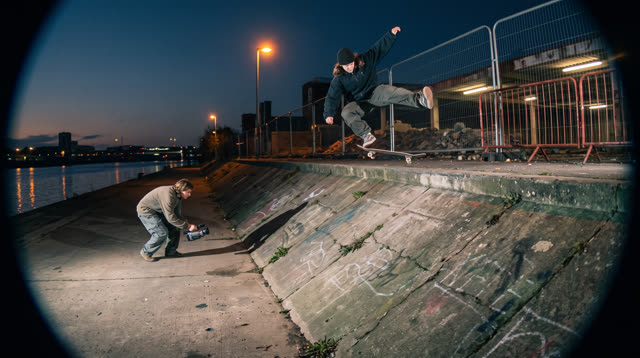
Kerbside
Every push, pop and scrape is earned: a grounded skateboarding game where your feet, not a button, do the trick, and a clean landing feels like the real thing.
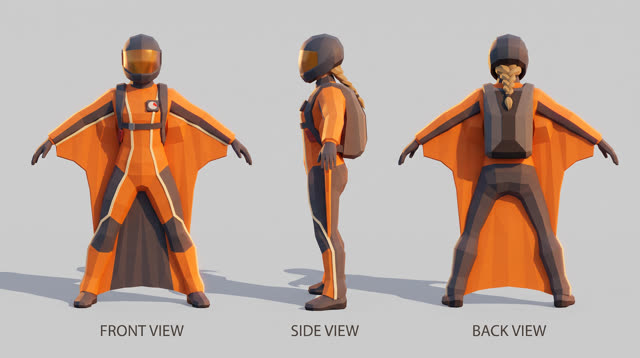
Fjordline
Leap from a granite wall under the midnight sun and carve one unbroken wingsuit line through Norway's most dramatic landscapes, from summit to sea, skimming close enough to touch the rock.
More Unity 6 techniques
Cel-Shading, Shadow Ramps & Width-Compensated Outlines in Unity 6 URP →
Two-pass URP stylized cel shader combining main-light shadow-attenuated diffuse ramps, crisp specular/rim accents, and clip-space distance-compensated inverted-hull outlines.
CharacterController Slope Projection & Floor Snap in Unity 6 →
Deterministic Unity 6 CharacterController locomotion with SphereCast ground projection, ramp stickiness, steep-slope slide, and coyote jumps.
Context Steering, Telegraphed Combat & Attack-Token Encounters in Unity 6 →
Readable enemy and companion AI in Unity 6 using 8-ray context steering maps, FOV + line-of-sight hysteresis, telegraph/active/recovery state machines, and an encounter attack-token director.
GPU-Instanced Wind Foliage & Interactive Player Bend in Unity 6 URP →
Draw thousands of swaying grass blades, reeds, or wildflowers in 1–4 draw calls using Graphics.RenderMeshInstanced, URP instanced HLSL wind gusts, tip flutter, and player-sphere pushback.
Use verified techniques inside a real game
Describe your game idea for free or connect an MCP assistant to search and contribute techniques.