Make a WebXR game for Quest from a brief — one link, flat or in a headset
Ask for VR in your brief and GameCrew AI builds a dual-mode Three.js, Godot 4 or Unity 6 game. Its one share link plays flat on a computer or phone and offers Enter VR in a headset’s browser: no store, no sideloading, no cable. Made for the WebXR browsers on Meta Quest Browser, Apple Vision Pro, Pico and PC VR headsets, and checked in an emulated headset on every save.
Status: early access. Every saved version of a VR game is checked in an emulated headset (a Quest 3 profile in headless Chrome) before it gets a link. That proves the game enters VR, draws both eyes, follows the head and reads the controllers; it does not measure comfort or a real headset’s frame rate. Reports from real headsets are what we are collecting now: if a game misbehaves in yours, we want to hear about it.
Try it now: play it on your headset, then make one
- 1. Play one in your headsetIn your headset’s browser, open
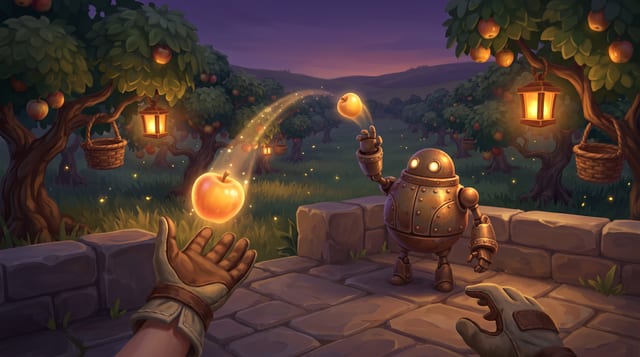
gamecrew.ai/vrand choose Lumen Orchard (Three.js). Press Play, then Enter VR. The same link plays flat on a laptop or phone, so you can send it to people without a headset. - 2. Pitch your own, freeDescribe a Quest browser game in a few sentences on the home page: the pitch, look and controls come back in about two minutes, with no sign-up.
- 3. Build itWith a place in early access, GameCrew’s AI crew builds the pitch in the studio with the VR target on. Or connect your own assistant (Claude, ChatGPT, Claude Code, Cursor) to
play.gamecrew.ai/mcpon the Contributor tier, free in early access: it forks a VR game from the showcase and makes it yours, writing the code while GameCrew runs the engine and checks each save. - 4. Open the link on the headsetEach saved version gets its own link. A version that fails the emulated-headset check is marked failed, with what went wrong, before anyone puts a headset on.
What works in each engine today
| Engine | WebXR VR | Headset runtime | Hands & interaction | Flat fallback | Checked without a headset |
|---|---|---|---|---|---|
| Three.js (Quick) | Dual-mode immersive-vr |
three.js’s own WebXR, driven by the studio’s game.xr kit (rig, head, two hands) |
Grab, throw, sockets and pressable 3D buttons; haptics; a bare hand’s pinch counts as the trigger | Same link plays with keyboard, mouse and touch; a VR-first game stands in for the headset with mouse look and W/A/S/D | Play tests in a simulated headset + the emulated-headset browser check on every save |
| Godot 4 | Dual-mode immersive-vr |
Godot 4’s WebXRInterface, run by the studio’s GameXR kit (the game never starts the session itself) |
Grab, throw, sockets and pressable 3D buttons; haptics; world panels showing any Control tree |
Same HTML5 export plays flat with the game’s own camera and controls | GDScript play tests in a simulated headset + the emulated-headset browser check on every save |
| Unity 6 URP | Dual-mode immersive-vr |
Unity has no WebXR in browser builds: the studio’s page runs the session and drives Unity 6 WebGL frames, and the GameXR kit does the rig, a camera per eye and the hands (no XR packages) |
Grab, throw, sockets and pressable 3D buttons; haptics; a bare hand’s pinch counts as the trigger | Same WebGL build plays with keyboard, mouse, gamepad and touch | PlayMode smoke tests in a simulated headset + the emulated-headset browser check on every save |
| Pulse | Flat-only today | The studio’s own deterministic 3D engine on WebGPU, which has no WebXR path yet | None yet | Desktop and phone browsers | Not a VR target |
Unlike a VR game generator that hands back a single web page, each GameCrew game is a real engine project with its own tests and git history: download any saved version, or keep changing it with your own assistant.
What every VR game gets from the kit
- A flat game already plays in VRWith no VR code, the player’s eyes go where the game’s camera is, the horizon stays level, the left stick is the game’s move input, the right stick snap-turns, and the HUD and menus are drawn in the world. A VR-first game takes the rig, the head and the hands instead.
- Tracked head and two handsGrip and aim poses, trigger, squeeze, stick, A/B/X/Y and haptics. The game’s actions map to controller inputs the way they map to keys, so one game plays flat and in VR.
- Physical hand interactionsNear grab and a forgiving distance pull, throws from a 6-sample hand-velocity window (one dropped tracking frame doesn’t spoil a throw), two-hand transfers, snap sockets and holsters, and 3D buttons you poke or point at.
- Comfort locomotionTeleport on an arc, snap turn, and slow stick walking with a vignette, or none at all for seated and standing games. The kit never moves or turns the view by itself.
- UI in the worldHTML is invisible in a headset, so the HUD, prompts, pause menu and end screen are drawn on panels in the world and worked with a hand ray and the trigger. The start card shows each action’s VR input.
- Budgets for a standalone headsetEach frame is measured against 200 draw calls and 300k triangles, and full-screen post effects are off in a session. Over budget is a note on the version, not a failure.
What the emulated-headset check proves on every save
A save of a VR game runs its browser build in headless Chrome with an emulated headset (IWER, Meta’s WebXR runtime written in JavaScript, with a Quest 3 profile and no network). It clicks Enter VR and requires that:
- the session starts, XR frames are drawn, and both eyes are drawn from two different viewpoints (the stereo picture is kept with the version);
- turning the head 120° changes the picture and turning back restores it, and moving the head 0.4 m moves the viewer;
- the left stick reaches the game’s move input and the right trigger is read;
- leaving VR gives back the flat game, and nothing logs an error at any point.
It does not measure comfort, a real headset’s frame rate, or how a game feels in the hand. Those need a person in a headset, which is what early access is for.
Learn the techniques: VR hands, throws and comfort
Free, engine-specific guides to grabbing, throwing, sockets, 3D buttons and comfortable reach, written against the same kits the games use — or read the Vesperglass Three.js WebXR case study (176 draw calls, 154,810 triangles, 45 emulated stereo frames):
Playable WebXR VR games made with GameCrew
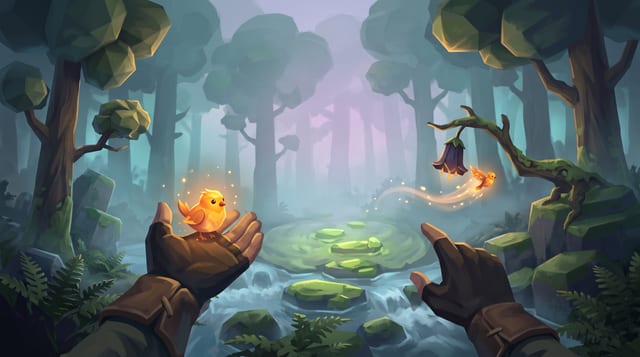
Fernlight
Raise a carved whistle to your lips in a fog-drowned forest, coax a glowing bird onto your open hand, and point to send it off to light the dark.
WebXR & VR FAQ
Which VR headsets can play GameCrew WebXR games?
Any headset whose browser can start a WebXR immersive-vr session: Meta Quest 2, Quest Pro and Quest 3/3S in Meta Quest Browser, Pico headsets in their browser, PC VR headsets through Chrome or Edge, and Apple Vision Pro in Safari (see below for its input). There is nothing to install: open the link and press Enter VR. GameCrew AI is in early access and checks every save in an emulated Quest 3; reports from real headsets are what we are collecting now.
Can I make a Meta Quest game without Unity?
Yes. A GameCrew VR game can be built in Three.js (TypeScript) or Godot 4 (GDScript) as well as Unity 6, and all three play in Meta Quest Browser from one link. You don’t install an engine, turn on developer mode, sideload an APK or go through a store review: the game is a web page that offers Enter VR. It is a browser game, not a Horizon Store app.
Should I make a WebXR game or a native Quest app?
A WebXR game is a link: anyone can play it in seconds, updates are live the moment you save, it plays flat for people without a headset, and nothing goes through a store. A native app gets more of the headset’s GPU, store discovery and payments, and features a browser session doesn’t offer. GameCrew’s VR games are WebXR: they stay inside a standalone headset’s budget (200 draw calls and 300k triangles a frame, no full-screen post effects) and use immersive VR, not passthrough mixed reality. They suit prototypes, jam games and small finished games you want people to try right away.
Does it work on Apple Vision Pro?
Safari on Vision Pro can start an immersive-vr session, so the Enter VR button appears there. Its input is usually your hands (look and pinch) rather than controllers. Three.js and Unity games read a bare hand’s pinch as the trigger, so aim-and-pinch games can work; a game that needs sticks or buttons won’t fully play with hands alone. We have not yet confirmed GameCrew games on a Vision Pro.
Do I need a headset to make a VR game with GameCrew?
No. Each engine’s VR kit has a simulated headset for the game’s own play tests, every save runs an emulated-headset check in headless Chrome, and a VR-first Three.js game plays flat with mouse look and W/A/S/D standing in for the head and hands. Put a headset on before you share it, though: the check proves the game enters VR, draws both eyes, follows the head and reads the controllers, not that it is comfortable or fast on a real device.
Do players without a VR headset still get to play the same link?
Yes. Every GameCrew VR build is dual-mode from a single share link: it plays flat with keyboard and mouse, gamepad or phone touch on regular screens, and offers an Enter VR button when opened in a WebXR headset browser. A browser without WebXR shows a quiet note that the link plays in VR in a headset’s browser.
Which game engines in GameCrew support WebXR VR?
Three.js (three.js’s own WebXR), Godot 4 (its WebXRInterface) and Unity 6 URP (the studio’s page runs the WebXR session and drives Unity’s WebGL frames; Unity’s XR packages are not used). Each has the studio’s VR kit: the rig, tracked head and hands, comfort locomotion, hand interactions and the HUD drawn in the world. Pulse, the studio’s WebGPU engine, plays flat only for now.
How does GameCrew verify that a VR game actually works before I put on a headset?
Every saved version of a VR game runs its browser build in headless Chrome with an emulated headset (IWER with a Quest 3 profile, no network). The check clicks Enter VR, requires both eyes to be drawn from two different viewpoints, turns the head 120° and back and moves it 0.4 m and requires the view to follow, pushes the left stick and holds the right trigger and requires the game to read them, leaves VR and requires the flat game to carry on, and fails on any logged error. It also reports draw calls and triangles against a standalone headset’s budget.
What VR comfort options are built into GameCrew’s VR kits?
Teleport on an arc, snap turn, slow thumbstick walking with a comfort vignette, or no locomotion at all for seated and standing games. The kits never move, shake or turn the view by themselves, keep the horizon level, and draw menus on panels in the world 1 to 2 m away, worked with a hand ray, so nothing is glued to the player’s face.
Can a VR game also be multiplayer?
Yes. Three.js, Godot 4 and Unity 6 games can have both the VR and the multiplayer targets: the link stays solo-first and offers a 4-letter room code for 2 to 8 players. Each save runs the multiplayer check (two browsers in a live room) and the VR check (an emulated headset) separately; a two-headset session has not been checked yet.
Can I download and customize the WebXR VR source code?
Yes. Every saved version is a git tag you can download as a full project: TypeScript for Three.js, .tscn scenes and GDScript for Godot 4, or C# for Unity 6, with the VR kit, the game’s tests and its assets. Or edit it live from your own assistant over MCP.
What does it cost to make a VR game?
The pitch on the home page is free, with no sign-up. Building with your own assistant (Claude, ChatGPT, Claude Code, Cursor) is the Contributor tier, free during early access: your assistant writes the code and GameCrew runs the engine. Having GameCrew’s AI crew build the game from your brief is the Platform tier, on a plan. Places in early access open a few at a time.
Describe a VR game
Draft a free VR pitch in two minutes, or ask for a place in early access to build for Quest and other WebXR headsets.