CharacterController Slope Projection & Floor Snap in Unity 6
Deterministic Unity 6 CharacterController locomotion with SphereCast ground projection, ramp stickiness, steep-slope slide, and coyote jumps.
- character-controller
- physics
- slopes
- platformer
- jump
- ground-probe
When to Use & Field Best Practices
Unity's CharacterController.Move handles swept capsule skin depenetration reliably, yet raw horizontal Move causes characters to bunny-hop down ramps and flicker isGrounded = false every second frame at high frame rates:
- Dual Ground Probe (
cc.isGrounded+ ShortSphereCast): Paircc.isGroundedwith a footPhysics.SphereCastignoring triggers andIgnore Raycastso descending slopes stay grounded without losing coyote-time responsiveness. - Tangential Velocity Projection: Project intended horizontal movement onto the ground normal (
Vector3.ProjectOnPlane(move, groundNormal)) when moving smoothly down walkable ramps (slopeAngle <= cc.slopeLimit), keeping downhill speed constant instead of launching off crests. - Steep-Slope Slide: When standing on surfaces steeper than
cc.slopeLimit, zero upward input into the cliff and project sliding acceleration down the steepest descent tangent.
Mathematical & Algorithmic Core
- Ramp Tangent Projection: For desired flat move vector
mand normalized floor normaln: $m_slope = m - (m · n)n$ - Steep Descent Vector: $
d_slide = normalize(g - (g · n)n)$
Engine Implementation
Slope-Aware Kinematic Locomotion (Assets/Game/Runtime/Player/SlopeCharacterMotor.cs)
using UnityEngine;

namespace __NS__
{
    [RequireComponent(typeof(CharacterController))]
    public class SlopeCharacterMotor : MonoBehaviour
    {
        public float coyoteTime = 0.12f;
        public float jumpBuffer = 0.12f;
        public float snapDepth = 0.28f;
        public float slideSpeed = 7.5f;

        const int GroundMask = ~(1 << 2);

        CharacterController cc;
        Vector3 velocity;
        Vector3 groundNormal = Vector3.up;
        float lastGrounded = -1f;
        float lastJumpPress = -1f;

        void Awake()
        {
            cc = GetComponent<CharacterController>();
        }

        void Update()
        {
            float dt = Time.deltaTime;
            float speed = Tuning.Value("moveSpeed", 6.5f);
            float accel = Tuning.Value("acceleration", 40f);
            float jumpHeight = Tuning.Value("jumpHeight", 1.6f);
            float gravity = -Mathf.Abs(Tuning.Value("gravity", 24f));

            bool onGround = ProbeGround(out groundNormal);
            float slopeAngle = Vector3.Angle(Vector3.up, groundNormal);
            bool steepSlope = onGround && slopeAngle > cc.slopeLimit;

            if (onGround && !steepSlope)
            {
                lastGrounded = Time.time;
                if (velocity.y < 0f) velocity.y = -2f;
            }

            Vector2 moveIn = GameInput.Move;
            var cam = Camera.main;
            Vector3 fwd = cam != null ? Vector3.ProjectOnPlane(cam.transform.forward, Vector3.up) : transform.forward;
            if (fwd.sqrMagnitude < 0.001f) fwd = transform.forward;
            fwd.Normalize();
            Vector3 right = Vector3.Cross(Vector3.up, fwd);

            Vector3 wishDir = fwd * moveIn.y + right * moveIn.x;
            if (wishDir.sqrMagnitude > 1f) wishDir.Normalize();

            Vector3 targetHoriz = wishDir * speed;
            if (onGround && !steepSlope && wishDir.sqrMagnitude > 0.001f)
            {
                // Align travel cleanly down ramps to eliminate ramp-crest hopping
                Vector3 projected = Vector3.ProjectOnPlane(wishDir, groundNormal).normalized * (wishDir.magnitude * speed);
                if (projected.y <= 0f)
                {
                    velocity.x = projected.x;
                    velocity.z = projected.z;
                    velocity.y = Mathf.Min(velocity.y, projected.y - 1.5f);
                }
            }
            else if (steepSlope)
            {
                Vector3 downSlope = Vector3.ProjectOnPlane(Vector3.down, groundNormal).normalized * slideSpeed;
                velocity.x = Mathf.MoveTowards(velocity.x, downSlope.x, accel * dt);
                velocity.z = Mathf.MoveTowards(velocity.z, downSlope.z, accel * dt);
            }
            else
            {
                Vector3 flat = Vector3.MoveTowards(new Vector3(velocity.x, 0f, velocity.z), targetHoriz, accel * dt);
                velocity.x = flat.x;
                velocity.z = flat.z;
            }

            if (GameInput.JumpPressed) lastJumpPress = Time.time;
            if (lastGrounded >= 0f && Time.time - lastGrounded <= coyoteTime &&
                lastJumpPress >= 0f && Time.time - lastJumpPress <= jumpBuffer)
            {
                velocity.y = Mathf.Sqrt(2f * jumpHeight * -gravity);
                lastGrounded = -1f;
                lastJumpPress = -1f;
                onGround = false;
                Playtest.Log("jump");
                GameAudio.Play("jump");
            }

            velocity.y += gravity * dt;
            cc.Move(velocity * dt);
        }

        bool ProbeGround(out Vector3 normal)
        {
            float r = cc.radius * 0.9f;
            Vector3 origin = transform.position + Vector3.up * (r + cc.skinWidth + 0.04f);
            float castDist = (cc.isGrounded ? snapDepth : 0.14f) + 0.04f;
            if (Physics.SphereCast(origin, r, Vector3.down, out RaycastHit hit, castDist, GroundMask, QueryTriggerInteraction.Ignore))
            {
                normal = hit.normal;
                return true;
            }
            normal = Vector3.up;
            return cc.isGrounded;
        }
    }
}
Level Design & Tuning Alignment
- Match
slopeLimitand Architectural Ramps: Keep walkable stairs and cobblestone ramps between20°and40°against defaultCharacterController.slopeLimit = 45°sosteepSlopereliably catches unintended cliff shortcuts. - Ignore Trigger Colliders: Always pass
QueryTriggerInteraction.Ignoreso pickup or checkpoint trigger volumes never reset ground normals.
Verification Checklist
- Run down a 30° ramp at max speed in a PlayMode test and verify
isGroundednever drops for more than a single step before jump. - Approach a 60° wall slope and confirm jump input does not allow infinite wall-climbing.
Official references
- Stan Melax (Kinematic Character Control & Slope Projection)
- Unity 6 CharacterController Reference
Playable Unity 6 games made with GameCrew
Launch a real browser build using this engine and inspect its controls or fork its project tree.
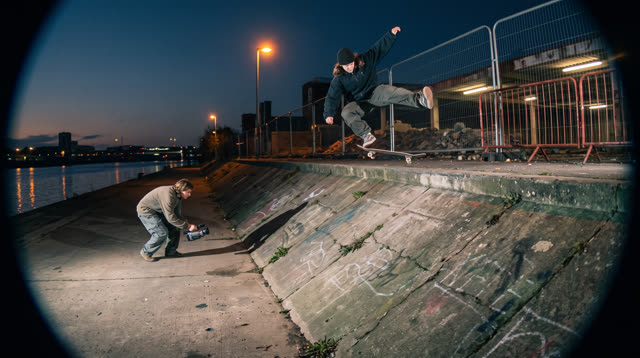
Kerbside
Every push, pop and scrape is earned: a grounded skateboarding game where your feet, not a button, do the trick, and a clean landing feels like the real thing.
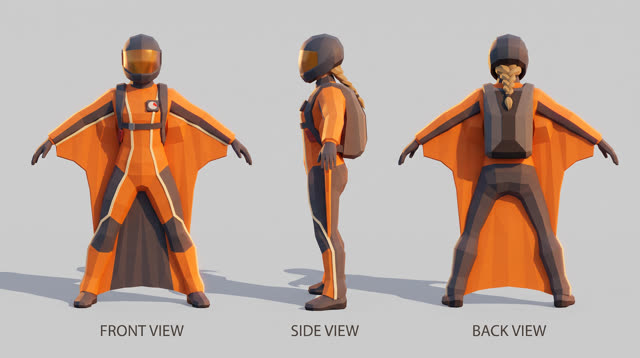
Fjordline
Leap from a granite wall under the midnight sun and carve one unbroken wingsuit line through Norway's most dramatic landscapes, from summit to sea, skimming close enough to touch the rock.
More Unity 6 techniques
Atmospheric Height Fog, Sun Shafts & Rim-Readable Lighting in Unity 6 URP →
Three-point outdoor/interior URP lighting recipe combining directional sun + warm/cool fill, exponential height/distance fog, ACES/Neutral post-processing, and anti-darkness floors so captures never read black or washed out.
Cel-Shading, Shadow Ramps & Width-Compensated Outlines in Unity 6 URP →
Two-pass URP stylized cel shader combining main-light shadow-attenuated diffuse ramps, crisp specular/rim accents, and clip-space distance-compensated inverted-hull outlines.
Context Steering, Telegraphed Combat & Attack-Token Encounters in Unity 6 →
Readable enemy and companion AI in Unity 6 using 8-ray context steering maps, FOV + line-of-sight hysteresis, telegraph/active/recovery state machines, and an encounter attack-token director.
GPU-Instanced Wind Foliage & Interactive Player Bend in Unity 6 URP →
Draw thousands of swaying grass blades, reeds, or wildflowers in 1–4 draw calls using Graphics.RenderMeshInstanced, URP instanced HLSL wind gusts, tip flutter, and player-sphere pushback.
Use verified techniques inside a real game
Describe your game idea for free or connect an MCP assistant to search and contribute techniques.