Unity 6 URP RenderGraph Custom Screen-Space Pass
Custom Unity 6 URP 17.6 ScriptableRendererFeature overriding RecordRenderGraph with transient TextureHandle creation and AddBlitPass.
- unity6
- urp
- rendergraph
- postprocessing
- blit
- pass
- shaders
When to Use & Field Best Practices
Unity 6 removed legacy Execute(ScriptableRenderContext, ref RenderingData) execution paths when RenderGraph Compatibility Mode is disabled. Writing custom screen-space grading, distance-fog, or edge-accent effects against URP 17.6's native RecordRenderGraph keeps memory aliasing intact and avoids per-frame render-target allocations:
- Override
RecordRenderGraph(RenderGraph, ContextContainer)Only: PullUniversalResourceDataandUniversalCameraDatadirectly fromframeData; never access deprecatedScriptableRenderer.cameraColorTargetHandle. - Guard Scene/Preview & Backbuffer Targets: Skip when
resourcesData.isActiveTargetBackBuffer,!source.IsValid(), or unsupported preview cameras so editor/capture passes never throw texture-access errors. - Declare Transient Targets via
renderGraph.CreateTexture(desc): ClonerenderGraph.GetTextureDesc(source)withclearBuffer = false, runAddBlitPassfromsource -> destwith your shader material, and copy back cleanly so URP manages lifetime and memory aliasing across passes.
Mathematical & Algorithmic Core
- Two-Stage Ping-Pong Blit: $
T_tmp ← mathcalF_mat(T_color), T_color ← T_tmp$ - Transient Allocation Cost: URP RenderGraph reuses physical GPU textures across non-overlapping pass intervals, keeping transient screen-space passes at zero net VRAM growth across frames.
Engine Implementation
URP 17.6 ScriptableRendererFeature & Pass (Assets/Game/Runtime/Rendering/TintBlitRendererFeature.cs)
using UnityEngine;
using UnityEngine.Rendering;
using UnityEngine.Rendering.Universal;
using UnityEngine.Rendering.RenderGraphModule;
using UnityEngine.Rendering.RenderGraphModule.Util;

namespace __NS__
{
    /// <summary>
    /// URP 17.6 RenderGraph fullscreen pass that applies a configurable material cleanly via transient textures.
    /// </summary>
    public sealed class TintBlitRendererFeature : ScriptableRendererFeature
    {
        [System.Serializable]
        public sealed class Settings
        {
            public RenderPassEvent passEvent = RenderPassEvent.BeforeRenderingPostProcessing;
            public Material material;
            public int passIndex = 0;
        }

        [SerializeField] Settings settings = new Settings();
        TintBlitPass pass;

        public override void Create()
        {
            pass = new TintBlitPass(settings)
            {
                renderPassEvent = settings.passEvent,
            };
        }

        public override void AddRenderPasses(ScriptableRenderer renderer, ref RenderingData renderingData)
        {
            if (settings.material == null) return;
            var camType = renderingData.cameraData.cameraType;
            if (camType == CameraType.Preview || camType == CameraType.Reflection) return;
            renderer.EnqueuePass(pass);
        }

        sealed class TintBlitPass : ScriptableRenderPass
        {
            readonly Settings settings;

            public TintBlitPass(Settings settings)
            {
                this.settings = settings;
                requiresIntermediateTexture = true;
            }

            public override void RecordRenderGraph(RenderGraph renderGraph, ContextContainer frameData)
            {
                if (settings.material == null) return;

                var resources = frameData.Get<UniversalResourceData>();
                var cameraData = frameData.Get<UniversalCameraData>();
                if (resources.isActiveTargetBackBuffer || cameraData.isPreviewCamera) return;

                TextureHandle source = resources.activeColorTexture;
                if (!source.IsValid()) return;

                TextureDesc desc = renderGraph.GetTextureDesc(source);
                desc.name = "_CustomScreenTemp";
                desc.clearBuffer = false;
                TextureHandle temp = renderGraph.CreateTexture(desc);

                var blitParams = new RenderGraphUtils.BlitMaterialParameters(
                    source,
                    temp,
                    settings.material,
                    settings.passIndex
                );
                renderGraph.AddBlitPass(blitParams, passName: "CustomScreenTint");
                renderGraph.AddCopyPass(temp, source, passName: "CustomScreenResolve");
            }
        }
    }
}
WebGL & Mobile Guardrails
- Set
requiresIntermediateTexture = true: Ensures URP provides a readableactiveColorTexturerather than trying to read and write the swapchain backbuffer in a single WebGL frame. - Avoid MSAA Resolve Surprise: Set
desc.msaaSamples = MSAASamples.Noneon fullscreen post effects if your shader reads_BlitTexturewithoutTEXTURE2D_X_MSAA.
Verification Checklist
- Assign the
TintBlitRendererFeatureon the URP Renderer asset and verify WebGL builds compile and render without RenderGraph attachment errors. - Confirm
RecordRenderGraphskips cleanly whenresources.isActiveTargetBackBufferis true during overlay camera draws.
Official references
- Unity 6 URP 17.6 RenderGraph Documentation
- ScriptableRendererFeature Best Practices
Playable Unity 6 games made with GameCrew
Launch a real browser build using this engine and inspect its controls or fork its project tree.
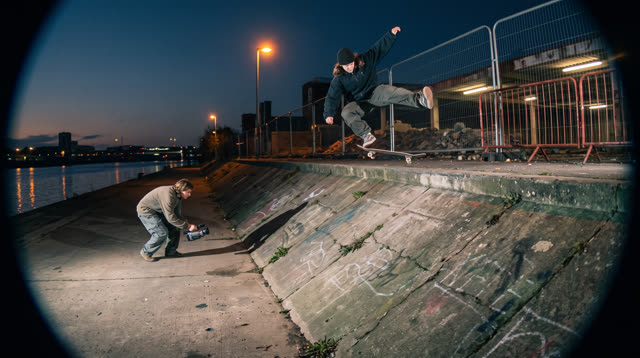
Kerbside
Every push, pop and scrape is earned: a grounded skateboarding game where your feet, not a button, do the trick, and a clean landing feels like the real thing.
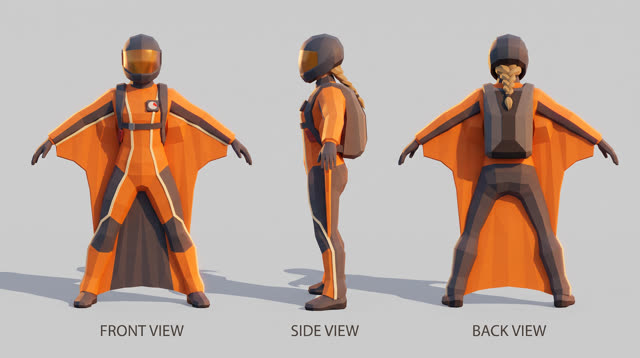
Fjordline
Leap from a granite wall under the midnight sun and carve one unbroken wingsuit line through Norway's most dramatic landscapes, from summit to sea, skimming close enough to touch the rock.
More Unity 6 techniques
Atmospheric Height Fog, Sun Shafts & Rim-Readable Lighting in Unity 6 URP →
Three-point outdoor/interior URP lighting recipe combining directional sun + warm/cool fill, exponential height/distance fog, ACES/Neutral post-processing, and anti-darkness floors so captures never read black or washed out.
Cel-Shading, Shadow Ramps & Width-Compensated Outlines in Unity 6 URP →
Two-pass URP stylized cel shader combining main-light shadow-attenuated diffuse ramps, crisp specular/rim accents, and clip-space distance-compensated inverted-hull outlines.
CharacterController Slope Projection & Floor Snap in Unity 6 →
Deterministic Unity 6 CharacterController locomotion with SphereCast ground projection, ramp stickiness, steep-slope slide, and coyote jumps.
Context Steering, Telegraphed Combat & Attack-Token Encounters in Unity 6 →
Readable enemy and companion AI in Unity 6 using 8-ray context steering maps, FOV + line-of-sight hysteresis, telegraph/active/recovery state machines, and an encounter attack-token director.
Use verified techniques inside a real game
Describe your game idea for free or connect an MCP assistant to search and contribute techniques.