Stylized Water, Depth Shoreline Foam & Gerstner Waves in Unity 6 URP
URP transparent water surface with analytical Gerstner wave displacement and normals, scene-depth Beer-Lambert dual-color absorption, Worley shoreline foam, and crisp sun specular.
- water
- ocean
- waves
- gerstner
- foam
- caustics
- depth
- shader
- urp
- shoreline
When to Use & Field Best Practices
Flat translucent blue quads fail visually because they lack shoreline grounding, depth color shifts, and moving specular silhouettes. Standard stylized/semi-realistic water in modern URP titles (*Rime*, *Sea of Thieves* stylized lods, *A Short Hike*) combines four cheap analytical layers in one UniversalForward transparent pass:
- Sum of 3–4 Gerstner (Trochoidal) Waves: Pinches wave crests and flattens troughs while providing exact analytical binormal/tangent partial derivatives (zero finite-difference neighbor taps).
- Scene Depth Optical Absorption: Samples
_CameraDepthTexture(DeclareDepthTexture.hlsl), converts to linear eye depth, and applies Beer-Lambert exponential falloffe^-σ Δ zbetween turquoise shallows and deep indigo. - Dual-Scroll Shoreline Foam: Drives a crisp or soft foam band where
Δ z < d_foammodulated by two counter-scrolling procedural cellular/Voronoi masks so shorelines breathe around piers, rocks, and characters. - Fresnel Sky Reflection + Sun Specular: Schlick Fresnel
(1 - N·V)^5blends shallow/deep water toward horizon sky color at grazing angles, topped with a tight Blinn-Phong sun sparkle.
Mathematical & Algorithmic Core
For wave $k$ with horizontal unit direction D_k, wavelength λ_k (w_k = 2π / λ_k), steepness Q_k ∈ [0, 1/(w_k A_k N)], amplitude A_k, and phase speed c_k = √9.81 / w_k: $θ_k = w_k (D_k · p_xz) + w_k c_k t$ $Δ p = Σ_k=1^3 beginpmatrix Q_k A_k D_k,x cosθ_k \\ A_k sinθ_k \\ Q_k A_k D_k,z cosθ_k endpmatrix$ Analytical tangent $\mathbf{T}$ and bitangent $\mathbf{B}$ yield $\mathbf{N} = \mathrm{normalize}(\mathbf{B} \times \mathbf{T})$ without extra vertex evaluations.
Engine Implementation
1. Enable Depth Texture on the Active URP Asset (SceneBuilder / Runtime Setup)
_CameraDepthTexture is only populated when supportsCameraDepthTexture is enabled on the active UniversalRenderPipelineAsset:
using UnityEngine;
using UnityEngine.Rendering;
using UnityEngine.Rendering.Universal;

namespace Game.Rendering
{
    public static class WaterPipelineSetup
    {
        public static void EnsureDepthTexture()
        {
            if (GraphicsSettings.currentRenderPipeline is UniversalRenderPipelineAsset urp)
            {
                urp.supportsCameraDepthTexture = true;
            }
        }
    }
}
2. URP Stylized Water Shader (Assets/Game/Resources/Shaders/StylizedWater.shader)
Shader "Custom/StylizedWater"
{
    Properties
    {
        _ShallowColor ("Shallow Color", Color) = (0.16, 0.72, 0.74, 0.78)
        _DeepColor ("Deep Color", Color) = (0.04, 0.20, 0.38, 0.95)
        _FoamColor ("Foam Color", Color) = (0.95, 0.98, 1.00, 1.0)
        _HorizonColor ("Fresnel Horizon", Color) = (0.55, 0.76, 0.92, 1.0)
        _DepthParams ("Depth Fade, Foam Width, Specular Power, Smoothness", Vector) = (3.5, 0.65, 96.0, 0.75)
        _WaveA ("Wave A (DirX, DirZ, Steepness, Wavelength)", Vector) = (0.86, 0.50, 0.22, 14.0)
        _WaveB ("Wave B (DirX, DirZ, Steepness, Wavelength)", Vector) = (-0.42, 0.91, 0.16, 7.5)
        _WaveC ("Wave C (DirX, DirZ, Steepness, Wavelength)", Vector) = (0.31, -0.95, 0.12, 3.8)
    }
    SubShader
    {
        Tags { "RenderPipeline" = "UniversalPipeline" "Queue" = "Transparent" "RenderType" = "Transparent" }
        Pass
        {
            Name "StylizedWaterForward"
            Tags { "LightMode" = "UniversalForward" }
            Blend SrcAlpha OneMinusSrcAlpha
            ZWrite Off
            Cull Back

            HLSLPROGRAM
            #pragma vertex vert
            #pragma fragment frag
            #pragma target 3.5

            #include "Packages/com.unity.render-pipelines.universal/ShaderLibrary/Core.hlsl"
            #include "Packages/com.unity.render-pipelines.universal/ShaderLibrary/Lighting.hlsl"
            #include "Packages/com.unity.render-pipelines.universal/ShaderLibrary/DeclareDepthTexture.hlsl"

            CBUFFER_START(UnityPerMaterial)
                half4 _ShallowColor;
                half4 _DeepColor;
                half4 _FoamColor;
                half4 _HorizonColor;
                float4 _DepthParams;
                float4 _WaveA;
                float4 _WaveB;
                float4 _WaveC;
            CBUFFER_END

            struct Attributes
            {
                float4 positionOS : POSITION;
            };

            struct Varyings
            {
                float4 positionCS : SV_POSITION;
                float3 positionWS : TEXCOORD0;
                float3 normalWS : TEXCOORD1;
                float4 screenPos : TEXCOORD2;
            };

            float3 GerstnerWave(float4 wave, float3 p, inout float3 tangent, inout float3 binormal)
            {
                float steepness = wave.z;
                float wavelength = max(0.5, wave.w);
                float k = TWO_PI / wavelength;
                float c = sqrt(9.81 / k);
                float2 d = normalize(wave.xy);
                float f = k * (dot(d, p.xz) - c * _Time.y);
                float a = steepness / k;

                tangent += float3(
                    -d.x * d.x * (steepness * sin(f)),
                    d.x * (steepness * cos(f)),
                    -d.x * d.y * (steepness * sin(f)));
                binormal += float3(
                    -d.x * d.y * (steepness * sin(f)),
                    d.y * (steepness * cos(f)),
                    -d.y * d.y * (steepness * sin(f)));

                return float3(d.x * (a * cos(f)), a * sin(f), d.y * (a * cos(f)));
            }

            float Hash21(float2 p)
            {
                p = frac(p * float2(123.34, 456.21));
                p += dot(p, p + 45.32);
                return frac(p.x * p.y);
            }

            float CellularFoam(float2 uv)
            {
                float2 i = floor(uv);
                float2 f = frac(uv);
                float minDist = 1.0;
                for (int y = -1; y <= 1; y++)
                {
                    for (int x = -1; x <= 1; x++)
                    {
                        float2 neighbor = float2(x, y);
                        float2 pt = Hash21(i + neighbor).xx;
                        pt = 0.5 + 0.45 * sin(_Time.y * 1.3 + 6.2831 * float2(pt.x, Hash21(i + neighbor + 7.1)));
                        float d = length(neighbor + pt - f);
                        minDist = min(minDist, d);
                    }
                }
                return minDist;
            }

            Varyings vert(Attributes input)
            {
                Varyings o;
                float3 wp = TransformObjectToWorld(input.positionOS.xyz);
                float3 tangent = float3(1.0, 0.0, 0.0);
                float3 binormal = float3(0.0, 0.0, 1.0);
                float3 offset = 0.0;
                offset += GerstnerWave(_WaveA, wp, tangent, binormal);
                offset += GerstnerWave(_WaveB, wp, tangent, binormal);
                offset += GerstnerWave(_WaveC, wp, tangent, binormal);

                wp += offset;
                o.positionWS = wp;
                o.normalWS = normalize(cross(binormal, tangent));
                o.positionCS = TransformWorldToHClip(wp);
                o.screenPos = ComputeScreenPos(o.positionCS);
                return o;
            }

            half4 frag(Varyings input) : SV_Target
            {
                float2 screenUV = input.screenPos.xy / max(1e-5, input.screenPos.w);
                float rawDepth = SampleSceneDepth(screenUV);
                float sceneEye = LinearEyeDepth(rawDepth, _ZBufferParams);
                float surfaceEye = LinearEyeDepth(input.positionCS.z, _ZBufferParams);
                float depthDiff = max(0.0, sceneEye - surfaceEye);

                float absorb = 1.0 - exp(-depthDiff / max(0.1, _DepthParams.x));
                float4 baseWater = lerp(_ShallowColor, _DeepColor, saturate(absorb));

                float3 N = normalize(input.normalWS);
                float3 V = normalize(GetCameraPositionWS() - input.positionWS);
                Light mainLight = GetMainLight();
                float3 L = normalize(mainLight.direction);

                float fresnel = pow(1.0 - saturate(dot(N, V)), 4.0) * 0.55;
                float3 waterRGB = lerp(baseWater.rgb, _HorizonColor.rgb, fresnel);

                float c1 = CellularFoam(input.positionWS.xz * 0.65 + _Time.y * float2(0.18, 0.11));
                float c2 = CellularFoam(input.positionWS.xz * 1.15 - _Time.y * float2(0.14, 0.19));
                float foamNoise = saturate((c1 + c2) * 0.55);
                float shoreMask = 1.0 - saturate(depthDiff / max(0.05, _DepthParams.y));
                float crestMask = saturate((input.positionWS.y - 0.12) * 1.5) * 0.35;
                float foam = step(0.42, shoreMask * 0.85 + foamNoise * 0.45 + crestMask);

                float3 H = normalize(L + V);
                float spec = pow(saturate(dot(N, H)), _DepthParams.z) * _DepthParams.w;

                float3 color = lerp(waterRGB, _FoamColor.rgb, foam) + mainLight.color * spec;
                float alpha = saturate(lerp(baseWater.a, 1.0, foam));
                return half4(color, alpha);
            }
            ENDHLSL
        }
    }
}
Browser, Mobile & Software-Renderer Budgets
- Mesh Tessellation: Gerstner vertex waves need vertices to displace; subdivide large water planes to ~1.5–2.5 m spacing (
64×64= 8,192 tris), not a 2-triangle quad and not a512×512mesh. - Avoid
_CameraOpaqueTextureGrab-Pass Distortion on Mobile/llvmpipe: Full-resolution screen-color copy doubles bandwidth; depth-buffer Beer-Lambert absorption (DeclareDepthTexture.hlsl) achieves 90% of the visual depth at a fraction of the cost. - Orthographic Cameras:
LinearEyeDepthassumes perspective projection; if the game uses an orthographic isometric camera, compute world-space height difference from reconstructed world position or vertex height map instead.
Verification Checklist
- Call
WaterPipelineSetup.EnsureDepthTexture()duringSceneBuilderand runtime bootstrap so_CameraDepthTextureis valid in both capture and WebGL builds. - Place partially submerged geometry (shoreline rocks, pier pilings) to verify visible foam rings and shallow-to-deep color gradients in
capture. - Match gameplay buoyancy height queries in C# to the primary
_WaveAsine phase if floating crates/boats rest on the water.
Official references
- Jerry Tessendorf (SIGGRAPH 2001 — Simulating Ocean Water)
- GPU Gems Ch. 1 (Effective Water Simulation from Physical Models)
- Jasper Flick / Catlike Coding (Directional Flow & Looking Through Water)
- Roystan & Simon Trümpler (Stylized Water Breakdowns, GDC)
Playable Unity 6 games made with GameCrew
Launch a real browser build using this engine and inspect its controls or fork its project tree.
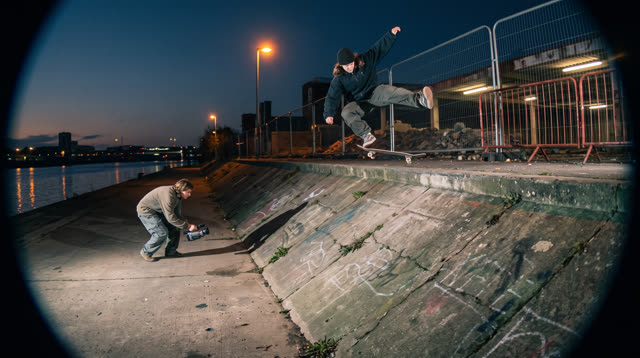
Kerbside
Every push, pop and scrape is earned: a grounded skateboarding game where your feet, not a button, do the trick, and a clean landing feels like the real thing.
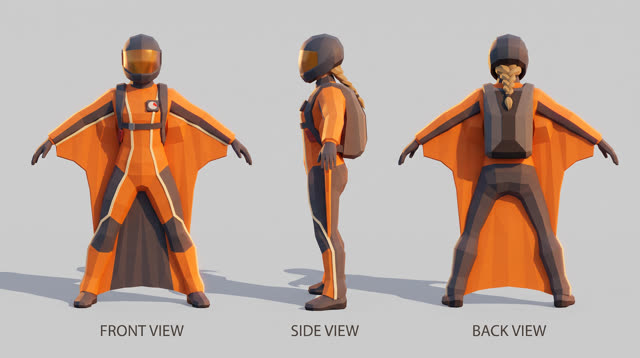
Fjordline
Leap from a granite wall under the midnight sun and carve one unbroken wingsuit line through Norway's most dramatic landscapes, from summit to sea, skimming close enough to touch the rock.
More Unity 6 techniques
Atmospheric Height Fog, Sun Shafts & Rim-Readable Lighting in Unity 6 URP →
Three-point outdoor/interior URP lighting recipe combining directional sun + warm/cool fill, exponential height/distance fog, ACES/Neutral post-processing, and anti-darkness floors so captures never read black or washed out.
Cel-Shading, Shadow Ramps & Width-Compensated Outlines in Unity 6 URP →
Two-pass URP stylized cel shader combining main-light shadow-attenuated diffuse ramps, crisp specular/rim accents, and clip-space distance-compensated inverted-hull outlines.
CharacterController Slope Projection & Floor Snap in Unity 6 →
Deterministic Unity 6 CharacterController locomotion with SphereCast ground projection, ramp stickiness, steep-slope slide, and coyote jumps.
Context Steering, Telegraphed Combat & Attack-Token Encounters in Unity 6 →
Readable enemy and companion AI in Unity 6 using 8-ray context steering maps, FOV + line-of-sight hysteresis, telegraph/active/recovery state machines, and an encounter attack-token director.
Use verified techniques inside a real game
Describe your game idea for free or connect an MCP assistant to search and contribute techniques.