Khronos PBR Neutral Tone Mapping & 2D Radiance Cascades GI in Unity 6 URP
Hue-preserving Khronos PBR Neutral display transform via Unity 6 URP 17.6 RenderGraph (preventing ACES red/blue hue shifts on stylized palettes) paired with a WebGL-2-safe fragment Radiance Cascades 2D GI shader.
- tonemapping
- pbr-neutral
- agx
- color-grading
- radiance-cascades
- gi
- penumbra
- rendergraph
- urp
- shader
No demo.
When to Use & Field Best Practices
Two modern rendering upgrades eliminate the most common visual flaws in stylized and top-down Unity 6 URP games without requiring desktop-only compute shaders:
- Khronos PBR Neutral Tone Mapping (
Custom/PbrNeutralGrade+PbrNeutralGradeFeature):
- Standard ACES shifts bright saturated reds toward orange and deep blues toward violet — breaking carefully chosen art-bible palette colors in cozy, arcade, and comic slices.
- Khronos PBR Neutral keeps base-range colors (
0..0.76) 1:1 faithful to your palette while compressing HDR highlights (> 1.0) smoothly toward clean white without hue drift. Runs in< 0.12 msinside URP 17.6RecordRenderGraph(AddBlitPass).
- WebGL-2-Safe Fragment Radiance Cascades 2D GI (
Custom/RadianceCascade2D):
- Computes noise-free soft penumbra global illumination for top-down/2.5D arenas using standard fragment blits (
Graphics.Blit/ RenderGraph passes) rather thanComputeShaders — so it runs identically on WebGL 2, WebGPU, mobile, andllvmpipe!
Mathematical & Algorithmic Core
- Khronos PBR Neutral for linear HDR
c = (r, g, b)(k_s = 0.8 - 0.04 = 0.76,k_d = 0.15): $x = min(r, g, b), o = begincases x - 6.25 x^2 & x < 0.08 \\ 0.04 & x ≥ 0.08 endcases, c' = c - o$ When peak $p = \max(\mathbf{c}') > k_s$: let $d = 1 - k_s$, $\tilde{p} = 1 - \frac{d^2}{p + d - k_s}$, $g = \frac{1}{k_d (p - \tilde{p}) + 1}$, then $\mathbf{c}_{\text{out}} = \mathrm{lerp}(\tilde{p}, \mathbf{c}' \frac{\tilde{p}}{p}, g)$.
Engine Implementation
1. Khronos PBR Neutral RenderGraph Post-Processing Shader (Assets/Game/Resources/Shaders/PbrNeutralGrade.shader)
Shader "Custom/PbrNeutralGrade"
{
    Properties
    {
        _Exposure ("Exposure", Range(0.25, 3.0)) = 1.05
        _Saturation ("Saturation", Range(0.0, 1.8)) = 1.04
        _Vignette ("Vignette Strength", Range(0.0, 0.7)) = 0.18
    }
    SubShader
    {
        Tags { "RenderPipeline" = "UniversalPipeline" "RenderType" = "Opaque" }
        Pass
        {
            Name "PbrNeutralGradePass"
            ZWrite Off
            ZTest Always
            Cull Off

            HLSLPROGRAM
            #pragma vertex Vert
            #pragma fragment Frag

            #include "Packages/com.unity.render-pipelines.universal/ShaderLibrary/Core.hlsl"
            #include "Packages/com.unity.render-pipelines.core/Runtime/Utilities/Blit.hlsl"

            CBUFFER_START(UnityPerMaterial)
                float _Exposure;
                float _Saturation;
                float _Vignette;
            CBUFFER_END

            float3 KhronosPbrNeutral(float3 color)
            {
                const float startCompression = 0.8 - 0.04;
                const float desaturation = 0.15;

                float x = min(color.r, min(color.g, color.b));
                float offset = x < 0.08 ? (x - 6.25 * x * x) : 0.04;
                color -= offset;

                float peak = max(color.r, max(color.g, color.b));
                if (peak < startCompression) return color;

                float d = 1.0 - startCompression;
                float newPeak = 1.0 - (d * d) / (peak + d - startCompression);
                color *= newPeak / max(1e-5, peak);

                float g = 1.0 / (desaturation * (peak - newPeak) + 1.0);
                return lerp(newPeak.xxx, color, g);
            }

            half4 Frag(Varyings input) : SV_Target
            {
                float2 uv = input.texcoord;
                float3 hdr = max(0.0, SAMPLE_TEXTURE2D_X(_BlitTexture, sampler_LinearClamp, uv).rgb) * _Exposure;
                float3 col = KhronosPbrNeutral(hdr);

                float luma = dot(col, float3(0.2126, 0.7152, 0.0722));
                col = lerp(luma.xxx, col, _Saturation);

                float2 centered = uv * 2.0 - 1.0;
                float vig = 1.0 - dot(centered, centered) * (_Vignette * 0.45);
                col = saturate(col * saturate(vig));
                return half4(col, 1.0);
            }
            ENDHLSL
        }
    }
}
2. WebGL-2-Safe Fragment Radiance Cascades 2D GI Pass (Assets/Game/Resources/Shaders/RadianceCascade2D.shader)
Shader "Custom/RadianceCascade2D"
{
    Properties
    {
        _SceneTex ("Emissive (RGB) + Occluder (A)", 2D) = "black" {}
        _UpperTex ("Upper Cascade Texture", 2D) = "black" {}
        _CascadeParams ("Res, CascadeIdx, MaxCascades, BaseInterval", Vector) = (128.0, 0.0, 4.0, 2.2)
    }
    SubShader
    {
        Tags { "RenderPipeline" = "UniversalPipeline" "RenderType" = "Opaque" }
        Pass
        {
            Name "RadianceCascadeMerge"
            ZWrite Off
            ZTest Always
            Cull Off

            HLSLPROGRAM
            #pragma vertex Vert
            #pragma fragment Frag

            #include "Packages/com.unity.render-pipelines.universal/ShaderLibrary/Core.hlsl"
            #include "Packages/com.unity.render-pipelines.core/Runtime/Utilities/Blit.hlsl"

            TEXTURE2D(_SceneTex);
            SAMPLER(sampler_SceneTex);
            TEXTURE2D(_UpperTex);
            SAMPLER(sampler_UpperTex);

            CBUFFER_START(UnityPerMaterial)
                float4 _CascadeParams;
            CBUFFER_END

            float4 SampleUpper(float2 probeIdx, float dirIdx, float upperGrid, float upperSide, float res)
            {
                float2 clamped = clamp(probeIdx, 0.0, upperGrid - 1.0);
                float tx = fmod(dirIdx, upperSide);
                float ty = floor(dirIdx / upperSide);
                float2 uv = (float2(tx, ty) * upperGrid + clamped + 0.5) / res;
                return SAMPLE_TEXTURE2D_LOD(_UpperTex, sampler_UpperTex, uv, 0.0);
            }

            half4 Frag(Varyings input) : SV_Target
            {
                float res = max(32.0, _CascadeParams.x);
                float c = _CascadeParams.y;
                float maxC = _CascadeParams.z;
                float baseStep = _CascadeParams.w;

                float side = pow(2.0, c + 1.0);
                float probeGrid = res / side;
                float2 px = floor(input.texcoord * res);
                float2 dirTile = floor(px / probeGrid);
                float2 probeCoord = px - dirTile * probeGrid;

                float dirIdx = dirTile.y * side + dirTile.x;
                float angle = (dirIdx + 0.5) / (side * side) * TWO_PI;
                float2 rayDir = float2(cos(angle), sin(angle));
                float2 originUv = (probeCoord + 0.5) / probeGrid;

                float tMin = baseStep * (pow(4.0, c) - 1.0) / 3.0;
                float tMax = baseStep * (pow(4.0, c + 1.0) - 1.0) / 3.0;
                float stepLen = max(1.0, tMax - tMin) / 12.0;

                float3 rad = 0.0;
                float vis = 1.0;
                [loop]
                for (int i = 0; i < 12; i++)
                {
                    float t = tMin + (i + 0.5) * stepLen;
                    float2 suv = originUv + rayDir * (t / res);
                    if (any(suv < 0.0) || any(suv > 1.0)) break;
                    float4 s = SAMPLE_TEXTURE2D_LOD(_SceneTex, sampler_SceneTex, suv, 0.0);
                    if (s.a > 0.5)
                    {
                        rad += s.rgb * vis;
                        vis = 0.0;
                        break;
                    }
                }

                if (vis > 0.01 && c + 1.0 < maxC)
                {
                    float upperSide = side * 2.0;
                    float upperGrid = probeGrid * 0.5;
                    float2 uPos = (probeCoord + 0.5) * 0.5 - 0.5;
                    float2 p0 = floor(uPos);
                    float2 f = saturate(uPos - p0);
                    float3 upperAvg = 0.0;
                    [unroll]
                    for (int k = 0; k < 4; k++)
                    {
                        float childDir = dirIdx * 4.0 + k;
                        float3 c00 = SampleUpper(p0 + float2(0, 0), childDir, upperGrid, upperSide, res).rgb;
                        float3 c10 = SampleUpper(p0 + float2(1, 0), childDir, upperGrid, upperSide, res).rgb;
                        float3 c01 = SampleUpper(p0 + float2(0, 1), childDir, upperGrid, upperSide, res).rgb;
                        float3 c11 = SampleUpper(p0 + float2(1, 1), childDir, upperGrid, upperSide, res).rgb;
                        upperAvg += lerp(lerp(c00, c10, f.x), lerp(c01, c11, f.x), f.y) * 0.25;
                    }
                    rad += upperAvg * vis;
                }

                return half4(rad, 1.0);
            }
            ENDHLSL
        }
    }
}
3. URP 17.6 RenderGraph Feature for PBR Neutral Grading (Assets/Game/Runtime/Rendering/PbrNeutralGradeFeature.cs)
using UnityEngine;
using UnityEngine.Rendering;
using UnityEngine.Rendering.Universal;
using UnityEngine.Rendering.RenderGraphModule;
using UnityEngine.Rendering.RenderGraphModule.Util;

namespace __NS__
{
    /// <summary>
    /// URP 17.6 RenderGraph screen pass applying Khronos PBR Neutral hue-faithful tone mapping.
    /// Turn off URP's built-in Tonemapping Volume override when enabling this pass to avoid double tone mapping.
    /// </summary>
    public sealed class PbrNeutralGradeFeature : ScriptableRendererFeature
    {
        [System.Serializable]
        public sealed class Settings
        {
            public RenderPassEvent passEvent = RenderPassEvent.BeforeRenderingPostProcessing;
            public Material material;
            [Range(0.25f, 3f)] public float exposure = 1.05f;
            [Range(0f, 1.8f)] public float saturation = 1.04f;
            [Range(0f, 0.7f)] public float vignette = 0.18f;
        }

        [SerializeField] Settings settings = new Settings();
        GradePass pass;

        public override void Create()
        {
            pass = new GradePass(settings) { renderPassEvent = settings.passEvent };
        }

        public override void AddRenderPasses(ScriptableRenderer renderer, ref RenderingData renderingData)
        {
            if (settings.material == null) return;
            var cam = renderingData.cameraData;
            if (cam.cameraType == CameraType.Preview || cam.cameraType == CameraType.Reflection || cam.xr.enabled)
                return;
            renderer.EnqueuePass(pass);
        }

        sealed class GradePass : ScriptableRenderPass
        {
            static readonly int ExposureId = Shader.PropertyToID("_Exposure");
            static readonly int SatId = Shader.PropertyToID("_Saturation");
            static readonly int VigId = Shader.PropertyToID("_Vignette");
            readonly Settings settings;

            public GradePass(Settings settings)
            {
                this.settings = settings;
                requiresIntermediateTexture = true;
            }

            public override void RecordRenderGraph(RenderGraph renderGraph, ContextContainer frameData)
            {
                if (settings.material == null) return;
                var resources = frameData.Get<UniversalResourceData>();
                var cameraData = frameData.Get<UniversalCameraData>();
                if (resources.isActiveTargetBackBuffer || cameraData.isPreviewCamera) return;

                TextureHandle source = resources.activeColorTexture;
                if (!source.IsValid()) return;

                settings.material.SetFloat(ExposureId, settings.exposure);
                settings.material.SetFloat(SatId, settings.saturation);
                settings.material.SetFloat(VigId, settings.vignette);

                TextureDesc desc = renderGraph.GetTextureDesc(source);
                desc.name = "_PbrNeutralTemp";
                desc.msaaSamples = MSAASamples.None;
                desc.clearBuffer = false;
                TextureHandle temp = renderGraph.CreateTexture(desc);

                renderGraph.AddBlitPass(
                    new RenderGraphUtils.BlitMaterialParameters(source, temp, settings.material, 0),
                    passName: "PbrNeutralGrade"
                );
                renderGraph.AddCopyPass(temp, source, passName: "PbrNeutralResolve");
            }
        }
    }
}
Browser, Mobile & Software-Renderer Budgets
- Avoid Double Tone Mapping: When
PbrNeutralGradeFeatureis active, disable the VolumeTonemappingoverride (setTonemappingMode.None) so highlights are only compressed once. - Zero Compute Dependency:
RadianceCascade2D.shaderuses constant[loop]ceilings (12steps) and explicitSAMPLE_TEXTURE2D_LOD(..., 0.0), guaranteeing WebGL 2, WebGPU, andllvmpipeparity. - VR Safety:
PbrNeutralGradeFeatureskips VR cameras cleanly (cam.xr.enabled).
Verification Checklist
- Run
compileto verify both URP HLSL shaders andPbrNeutralGradeFeature.cscompile with zero errors. - Capture a bright saturated red/yellow prop under
PbrNeutralGradeFeature: confirm hues remain true to the art bible rather than shifting orange. - Run 4 coarse-to-fine blits with
RadianceCascade2Don a128×128test emitter/occluder texture and confirm smooth penumbras around pillars.
Official references
- KhronosGroup — ToneMapping PBR Neutral (Apache-2.0)
- Tomasz Stachowiak / h3r2tic — tony-mc-mapface (Apache-2.0)
- n01r1r — radiance-cascades-urp (MIT)
- Alexander Sannikov (2024 — Radiance Cascades)
Open-source sources
- Takes an idea from ToneMapping by Khronos Group (Apache License 2.0): Khronos PBR Neutral hue-preserving display transform
- Takes an idea from tony-mc-mapface by Tomasz Stachowiak (Apache License 2.0): hue-preserving stylized tone-mapping guidance
- Takes an idea from radiance-cascades-urp by n01r1r (MIT License): URP 2D Radiance Cascades global illumination shader formulation
Games built with this guide carry these credits, and the licence notices they ask for, in their third-party notices.
More Unity 6 games
Games made with GameCrew on the same engine. No game has been built with this guide yet: these show what Unity 6 games here look like.
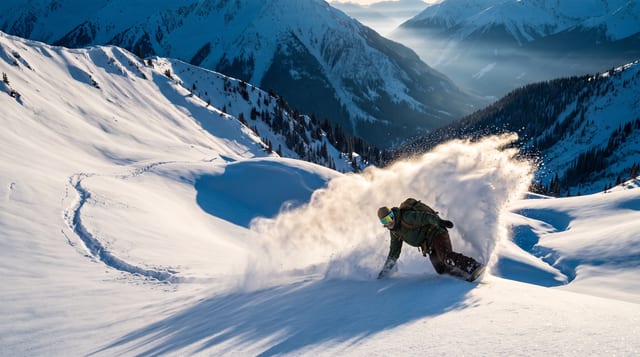
Bottomless
Drop into a waist-deep powder bowl on the morning after the storm and feel every turn throw a wall of snow into the sun.
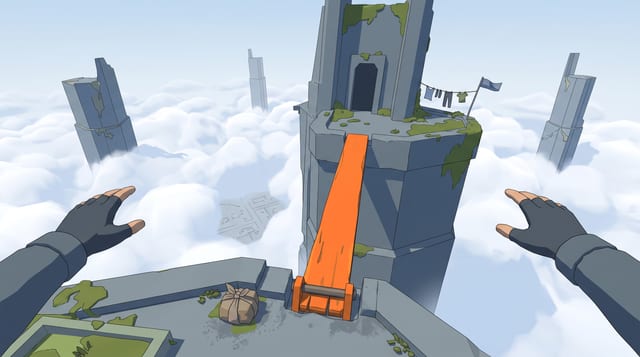
Thin Air Errands
Three hundred metres up, with a storm on the way, you carry your own plank between rooftops, lay it across the gap, and walk it with your arms out.
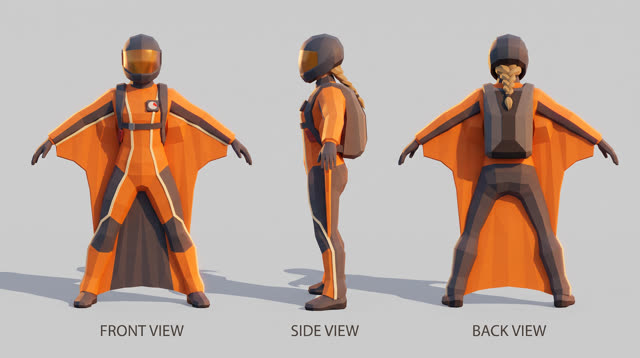
Fjordline
Leap from a granite wall under the midnight sun and carve one unbroken wingsuit line through Norway's most dramatic landscapes, from summit to sea, skimming close enough to touch the rock.
More Unity 6 techniques
Unity 6 URP RenderGraph Custom Screen-Space Pass →
Custom Unity 6 URP 17.6 ScriptableRendererFeature overriding RecordRenderGraph with transient TextureHandle creation and AddBlitPass.
Cel-Shading, Shadow Ramps & Width-Compensated Outlines in Unity 6 URP →
Two-pass URP stylized cel shader combining main-light shadow-attenuated diffuse ramps, crisp specular/rim accents, and clip-space distance-compensated inverted-hull outlines.
Hex Forcefields, Emissive Noise Dissolve & Stylized Slash VFX in Unity 6 URP →
Textureless URP 17 HLSL combat and sci-fi VFX trio: depth-intersecting hexagonal forcefield with impact ripples, shadow-aware HDR emissive dissolve, stylized melee slash arcs, and a zero-allocation MaterialPropertyBlock driver.
Analytical Volumetric Light Cones, Stealth Vision Cones & Fog of War in Unity 6 URP →
Zero-raymarch URP 17 volumetric light cones with Fresnel grazing fade and soft depth intersection, raycast-occluded stealth floor vision cones, and WebGL-2-safe R8 Fog of War masks in Unity 6.
Use verified techniques inside a real game
Describe your game idea for free or connect an MCP assistant to search and contribute techniques.