Seamless Non-Euclidean Portals & Oblique Near-Plane Clipping in Unity 6 URP
Seamless paired 3D portals in Unity 6 URP 17 using screen-space UV projection, relative camera transform mirroring, exact Camera.CalculateObliqueMatrix near-plane clipping, and software-GPU target scaling.
- portals
- non-euclidean
- oblique
- clip-plane
- camera
- render-texture
- puzzle
- mirror
- shader
- urp
No demo.
When to Use & Field Best Practices
Seamless portals (*Portal*, *Antichamber*, *Superliminal*) break down immediately if you only place a second camera at the exit: walls and props standing behind the exit portal occlude the camera's view, and UV mapping onto a flat quad distorts perspective as you move off-axis. Two foundational graphics tricks solve both cleanly in Unity 6 URP:
- Screen-Space Portal Window Projection (
Custom/PortalWindow): Instead of mapping the exitRenderTextureonto mesh UVs (input.uv), sample it atscreenPos.xy / screenPos.w(ComputeScreenPos). Because the portal camera matches the main camera's exact FOV, aspect, and mirrored relative pose, every pixel behind the doorway lines up pixel-for-pixel with zero perspective warp! - Oblique Near-Plane Clipping (
Camera.CalculateObliqueMatrix): Transform the exit portal's plane (position + outward normal, with a tiny0.06 moffset to stop z-fighting) into the portal camera's view space and replace its projection matrix withportalCam.CalculateObliqueMatrix(clipPlaneCS). Everything behind the exit portal is clipped cleanly at the hardware near plane without hiding anything in front of it! - Distance & Frustum Guard + Clean RT Lifecycle: Only render the portal camera when its quad is visible to the main camera (
GeometryUtility.TestPlanesAABB) and withinmaxActiveDistance. Cap theRenderTextureat0.5x–0.75xscreen resolution (<= 512 pxonllvmpipe/SwiftShader) and always callRenderTexture.Release()inOnDestroy.
Mathematical & Algorithmic Core
- Relative Portal Transform from entry portal $A$ to exit portal $B$ (with a
180^circY-flipR_πso entering $A$'s front exits $B$'s front): $M_cam,B = M_B \, R_π \, M_A^-1 \, M_cam,A$ - Camera-Space Clip Plane: For exit plane normal
n_cand pointp_cin the portal camera's view space: $c = (n_c,x,\; n_c,y,\; n_c,z,\; -p_c · n_c)$
Engine Implementation
1. Screen-Space Portal Window Shader (Assets/Game/Resources/Shaders/PortalWindow.shader)
Shader "Custom/PortalWindow"
{
    Properties
    {
        _PortalTex ("Portal Render Texture", 2D) = "black" {}
        [HDR] _RimColor ("Portal Frame Rim (HDR)", Color) = (0.35, 0.92, 1.85, 1.0)
        _RimWidth ("Edge Rim Width", Range(0.0, 0.25)) = 0.06
    }
    SubShader
    {
        Tags { "RenderPipeline" = "UniversalPipeline" "RenderType" = "Opaque" "Queue" = "Geometry+10" }
        Pass
        {
            Name "PortalWindowForward"
            Tags { "LightMode" = "UniversalForward" }
            Cull Back
            ZWrite On

            HLSLPROGRAM
            #pragma vertex vert
            #pragma fragment frag

            #include "Packages/com.unity.render-pipelines.universal/ShaderLibrary/Core.hlsl"

            TEXTURE2D(_PortalTex);
            SAMPLER(sampler_PortalTex);

            CBUFFER_START(UnityPerMaterial)
                half4 _RimColor;
                float _RimWidth;
            CBUFFER_END

            struct Attributes
            {
                float4 positionOS : POSITION;
                float2 uv : TEXCOORD0;
            };

            struct Varyings
            {
                float4 positionCS : SV_POSITION;
                float4 screenPos : TEXCOORD0;
                float2 uv : TEXCOORD1;
            };

            Varyings vert(Attributes input)
            {
                Varyings o;
                VertexPositionInputs pos = GetVertexPositionInputs(input.positionOS.xyz);
                o.positionCS = pos.positionCS;
                o.screenPos = ComputeScreenPos(pos.positionCS);
                o.uv = input.uv;
                return o;
            }

            half4 frag(Varyings input) : SV_Target
            {
                float2 screenUV = input.screenPos.xy / max(1e-4, input.screenPos.w);
                half3 portalCol = SAMPLE_TEXTURE2D(_PortalTex, sampler_PortalTex, saturate(screenUV)).rgb;

                float2 dEdge = min(input.uv, 1.0 - input.uv);
                float edge = min(dEdge.x, dEdge.y);
                float pulse = 0.85 + 0.15 * sin(_Time.y * 4.0 + input.uv.y * 12.0);
                float rim = (1.0 - smoothstep(0.0, max(0.005, _RimWidth), edge)) * pulse;

                return half4(portalCol + _RimColor.rgb * rim, 1.0);
            }
            ENDHLSL
        }
    }
}
2. Paired Portal Camera & Oblique Clip Controller (Assets/Game/Runtime/Rendering/PortalPairController.cs)
using UnityEngine;
using UnityEngine.Rendering;
using UnityEngine.Rendering.Universal;

namespace __NS__
{
    /// <summary>
    /// Synchronizes a portal camera to its paired exit portal with oblique near-plane clipping
    /// so walls behind the exit never occlude the doorway.
    /// </summary>
    public sealed class PortalPairController : MonoBehaviour
    {
        public Transform linkedPortal;
        public Renderer screenRenderer;
        public Camera portalCamera;
        public float maxActiveDistance = 45f;
        [Range(0.35f, 1.0f)] public float resolutionScale = 0.65f;
        public float nearClipOffset = 0.06f;

        static readonly int PortalTexId = Shader.PropertyToID("_PortalTex");
        static readonly Matrix4x4 FlipY180 = Matrix4x4.Rotate(Quaternion.Euler(0f, 180f, 0f));

        RenderTexture rt;
        MaterialPropertyBlock mpb;
        Plane[] frustumPlanes = new Plane[6];
        bool softwareGpu;

        void Awake()
        {
            mpb = new MaterialPropertyBlock();
            string gpu = SystemInfo.graphicsDeviceName ?? "";
            softwareGpu = gpu.Contains("llvmpipe") || gpu.Contains("SwiftShader") || gpu.Contains("softpipe");
            if (portalCamera != null)
            {
                portalCamera.enabled = false;
                var urpData = portalCamera.GetUniversalAdditionalCameraData();
                if (urpData != null) urpData.renderPostProcessing = false;
            }
        }

        void OnEnable()
        {
            RenderPipelineManager.beginCameraRendering += OnBeginCameraRendering;
        }

        void OnDisable()
        {
            RenderPipelineManager.beginCameraRendering -= OnBeginCameraRendering;
        }

        void OnDestroy()
        {
            if (rt != null)
            {
                rt.Release();
                Destroy(rt);
                rt = null;
            }
        }

        void EnsureRenderTexture(Camera mainCam)
        {
            float scale = softwareGpu ? Mathf.Min(resolutionScale, 0.5f) : resolutionScale;
            int w = Mathf.Clamp(Mathf.RoundToInt(mainCam.pixelWidth * scale), 128, softwareGpu ? 512 : 1024);
            int h = Mathf.Clamp(Mathf.RoundToInt(mainCam.pixelHeight * scale), 128, softwareGpu ? 512 : 1024);
            if (rt != null && rt.width == w && rt.height == h) return;

            if (rt != null) { rt.Release(); Destroy(rt); }
            rt = new RenderTexture(w, h, 24, RenderTextureFormat.DefaultHDR)
            {
                name = "PortalRT_" + gameObject.name,
                filterMode = FilterMode.Bilinear,
            };
            rt.Create();
            if (portalCamera != null) portalCamera.targetTexture = rt;
            if (screenRenderer != null && mpb != null)
            {
                screenRenderer.GetPropertyBlock(mpb);
                mpb.SetTexture(PortalTexId, rt);
                screenRenderer.SetPropertyBlock(mpb);
            }
        }

        void OnBeginCameraRendering(ScriptableRenderContext context, Camera cam)
        {
            if (cam == null || portalCamera == null || linkedPortal == null || screenRenderer == null) return;
            if (cam == portalCamera || cam.cameraType != CameraType.Game) return;
            if (Vector3.SqrMagnitude(cam.transform.position - transform.position) > maxActiveDistance * maxActiveDistance) return;

            GeometryUtility.CalculateFrustumPlanes(cam, frustumPlanes);
            if (!GeometryUtility.TestPlanesAABB(frustumPlanes, screenRenderer.bounds)) return;

            EnsureRenderTexture(cam);

            Matrix4x4 m = linkedPortal.localToWorldMatrix * FlipY180 * transform.worldToLocalMatrix * cam.transform.localToWorldMatrix;
            portalCamera.transform.SetPositionAndRotation(m.GetColumn(3), m.rotation);
            portalCamera.fieldOfView = cam.fieldOfView;
            portalCamera.aspect = cam.aspect;
            portalCamera.nearClipPlane = cam.nearClipPlane;
            portalCamera.farClipPlane = cam.farClipPlane;
            portalCamera.ResetProjectionMatrix();

            // Oblique clip plane at the exit portal surface so geometry behind the exit is clipped
            Vector3 normalWS = linkedPortal.forward;
            float sideSign = Mathf.Sign(Vector3.Dot(normalWS, linkedPortal.position - portalCamera.transform.position));
            Vector3 posCS = portalCamera.worldToCameraMatrix.MultiplyPoint(linkedPortal.position + normalWS * (nearClipOffset * -sideSign));
            Vector3 normCS = portalCamera.worldToCameraMatrix.MultiplyVector(normalWS).normalized * sideSign;
            Vector4 clipPlaneCS = new Vector4(normCS.x, normCS.y, normCS.z, -Vector3.Dot(posCS, normCS));

            if (Mathf.Abs(Vector3.Dot(normalWS, portalCamera.transform.position - linkedPortal.position)) > 0.2f)
            {
                portalCamera.projectionMatrix = portalCamera.CalculateObliqueMatrix(clipPlaneCS);
            }

            bool prevVisible = screenRenderer.enabled;
            screenRenderer.enabled = false;
            portalCamera.Render();
            screenRenderer.enabled = prevVisible;
        }
    }
}
Browser, Mobile & Software-Renderer Budgets
- Single-Pass Non-Recursive Default: Disable
renderPostProcessingonportalCameraand cap target width at512 pxon software GPUs (llvmpipe/SwiftShader) so captures stay brisk. - Avoid Oblique Degeneracy Up Close: When the player stands within
0.2 mof the portal plane, skippingCalculateObliqueMatrixavoids near-plane collapse while the teleport trigger fires cleanly. - Seamless Player Teleport: When the player crosses the portal quad's local
z = 0plane, apply the exact samelinkedPortal.localToWorldMatrix * FlipY180 * transform.worldToLocalMatrixmatrix to both position and velocity.
Verification Checklist
- Run
compileand verifyPortalWindow.shaderandPortalPairController.cscompile cleanly in Unity 6 URP. - Place a solid wall
0.5 mbehind the exit portal and inspectCaptures/*.pnglooking through the entry portal: confirm the exit room shows cleanly with zero occlusion from the wall behind it. - Verify walking off-angle to left/right keeps perspective aligned continuously with zero stretching.
Official references
- Sebastian Lague — Portals (MIT)
- Eric Lengyel (2005 — Oblique View Frustum Depth Projection and Clipping)
- Unity 6 URP Camera.CalculateObliqueMatrix Reference
Open-source sources
- Takes an idea from Portals by Sebastian Lague (MIT License): paired portal camera mirroring and oblique near-plane clipping
Games built with this guide carry these credits, and the licence notices they ask for, in their third-party notices.
More Unity 6 games
Games made with GameCrew on the same engine. No game has been built with this guide yet: these show what Unity 6 games here look like.

Bottomless
Drop into a waist-deep powder bowl on the morning after the storm and feel every turn throw a wall of snow into the sun.
Thin Air Errands
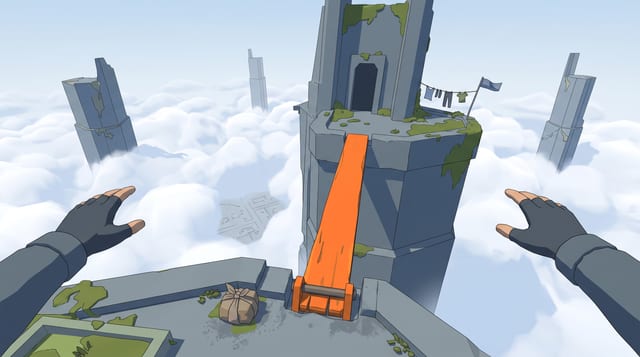
Three hundred metres up, with a storm on the way, you carry your own plank between rooftops, lay it across the gap, and walk it with your arms out.
Fjordline
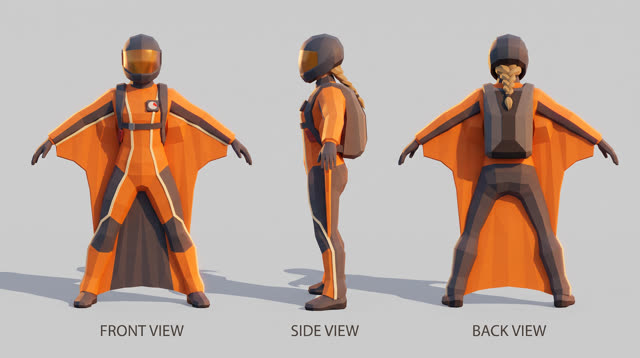
Leap from a granite wall under the midnight sun and carve one unbroken wingsuit line through Norway's most dramatic landscapes, from summit to sea, skimming close enough to touch the rock.
More Unity 6 techniques
CharacterController Slope Projection & Floor Snap in Unity 6 →
Deterministic Unity 6 CharacterController locomotion with SphereCast ground projection, ramp stickiness, steep-slope slide, and coyote jumps.
Hex Forcefields, Emissive Noise Dissolve & Stylized Slash VFX in Unity 6 URP →
Textureless URP 17 HLSL combat and sci-fi VFX trio: depth-intersecting hexagonal forcefield with impact ripples, shadow-aware HDR emissive dissolve, stylized melee slash arcs, and a zero-allocation MaterialPropertyBlock driver.
Active Ragdoll Falls & Bails on a Procedurally Posed Humanoid in Unity 6 →
Turn an animated or procedurally posed rigged humanoid into a muscled ragdoll at runtime (no Ragdoll Wizard) for falls and bails, with hinges that hold, no pop or one-step lag at the switch, PD muscle tone that decays, protective reflexes, and a clean hand-back to the animated rig.
Anisotropic Kuwahara Painterly Filter in Unity 6 URP RenderGraph →
Two-pass Unity 6 URP 17.6 RenderGraph ScriptableRendererFeature implementing an orientation-aligned Anisotropic Kuwahara painterly filter with structure-tensor edge guidance, WebGL 2 loop bounds, and software-GPU radius scaling.
Use verified techniques inside a real game
Describe your game idea for free or connect an MCP assistant to search and contribute techniques.