Anisotropic Kuwahara Painterly Filter in Unity 6 URP RenderGraph
Two-pass Unity 6 URP 17.6 RenderGraph ScriptableRendererFeature implementing an orientation-aligned Anisotropic Kuwahara painterly filter with structure-tensor edge guidance, WebGL 2 loop bounds, and software-GPU radius scaling.
- kuwahara
- painterly
- oil-painting
- stylized
- npr
- postprocessing
- rendergraph
- urp
- shader
- filter
No demo.
When to Use & Field Best Practices
Standard Kuwahara filters smear square blocks across diagonal edges, creating boxy mosaics. Anisotropic Kuwahara aligns elliptical brush-stroke sectors along local image contours computed from a smoothed structure tensor — turning low-poly 3D environments into cohesive oil paintings (*Dishonored*, *Breath of the Wild* concept vistas, cozy illustrated worlds) while keeping edges razor-sharp:
- Two-Pass RenderGraph Pipeline:
- Pass 0 (Structure Tensor): Computes Sobel gradients
(g_x, g_y)and stores the smoothed structure tensor(E, G, F) = (g_x^2, g_y^2, g_x g_y)plus dominant tangent angle φ and anisotropyA ∈ [0, 1]into a half-float transient texture. - Pass 1 (8-Sector Elliptical Kuwahara): Rotates a compact disk kernel by -φ, stretches it along the edge by $(1 + A)$ and squeezes across the edge by $1 / (1 + A)$, accumulates mean and variance across 8 directional wedges, and blends with smooth polynomial sharpness
w_i = (σ_i^2 + ε)^-q/2.
- Native URP 17.6
RecordRenderGraphOnly: Always allocate transient targets viarenderGraph.CreateTexture(desc)withmsaaSamples = MSAASamples.Noneand skip whenresourcesData.isActiveTargetBackBuffer,cameraData.isPreviewCamera, orcameraData.xr.enabledis true. - WebGL 2 & Software-Renderer Radius Budget: Keep the compiled loop ceiling constant (
#define MAX_RADIUS 4) and automatically step down_KernelRadiusto2onllvmpipe/SwiftShaderso headless captures stay fast while desktop GPUs paint withradius = 3–4.
Mathematical & Algorithmic Core
- Structure Tensor Eigen-Orientation from smoothed $(E, F, G)$: $
λ_1,2 = fracE + G ± √(E - G)^2 + 4 F^22, φ = (1)/(2)atan2(2F,\, E - G), A = fracλ_1 - λ_2λ_1 + λ_2 + 10^-5$ - Variance-Weighted Directional Brush Blend across 8 sectors with sharpness
q ≈ 8: $c_out = fracΣ_k=0^7 w_k μ_kΣ_k=0^7 w_k, w_k = (max(10^-4,\, σ_k^2))^-q/2$
Engine Implementation
1. Two-Pass Anisotropic Kuwahara Shader (Assets/Game/Resources/Shaders/AnisotropicKuwahara.shader)
Shader "Custom/AnisotropicKuwahara"
{
    Properties
    {
        _KernelRadius ("Brush Radius (2..4)", Range(2, 4)) = 3
        _Sharpness ("Brush Sharpness (q)", Range(3.0, 14.0)) = 8.0
        _AnisotropyScale ("Stroke Stretch", Range(0.2, 1.5)) = 0.85
        _PaperGrain ("Canvas Grain", Range(0.0, 0.08)) = 0.025
    }
    SubShader
    {
        Tags { "RenderPipeline" = "UniversalPipeline" "RenderType" = "Opaque" }
        ZWrite Off
        ZTest Always
        Cull Off

        // Pass 0: Structure tensor orientation (R = cosPhi, G = sinPhi, B = anisotropy)
        Pass
        {
            Name "KuwaharaTensor"
            HLSLPROGRAM
            #pragma vertex Vert
            #pragma fragment FragTensor

            #include "Packages/com.unity.render-pipelines.universal/ShaderLibrary/Core.hlsl"
            #include "Packages/com.unity.render-pipelines.core/Runtime/Utilities/Blit.hlsl"

            float3 SampleCol(float2 uv)
            {
                return SAMPLE_TEXTURE2D_X(_BlitTexture, sampler_LinearClamp, uv).rgb;
            }

            half4 FragTensor(Varyings input) : SV_Target
            {
                float2 uv = input.texcoord;
                float2 d = _BlitTexture_TexelSize.xy;

                float3 tl = SampleCol(uv + float2(-d.x, -d.y));
                float3 t  = SampleCol(uv + float2( 0.0, -d.y));
                float3 tr = SampleCol(uv + float2( d.x, -d.y));
                float3 l  = SampleCol(uv + float2(-d.x,  0.0));
                float3 r  = SampleCol(uv + float2( d.x,  0.0));
                float3 bl = SampleCol(uv + float2(-d.x,  d.y));
                float3 b  = SampleCol(uv + float2( 0.0,  d.y));
                float3 br = SampleCol(uv + float2( d.x,  d.y));

                float3 gx = (-tl - 2.0 * l - bl + tr + 2.0 * r + br) * 0.25;
                float3 gy = (-tl - 2.0 * t - tr + bl + 2.0 * b + br) * 0.25;

                float E = dot(gx, gx);
                float G = dot(gy, gy);
                float F = dot(gx, gy);

                float disc = sqrt(max(0.0, (E - G) * (E - G) + 4.0 * F * F));
                float l1 = 0.5 * (E + G + disc);
                float l2 = 0.5 * (E + G - disc);
                float phi = 0.5 * atan2(2.0 * F, E - G);
                float aniso = (l1 + l2) > 1e-5 ? saturate((l1 - l2) / (l1 + l2)) : 0.0;

                return half4(cos(phi) * 0.5 + 0.5, sin(phi) * 0.5 + 0.5, aniso, 1.0);
            }
            ENDHLSL
        }

        // Pass 1: 8-sector orientation-aligned Anisotropic Kuwahara filter
        Pass
        {
            Name "KuwaharaPaint"
            HLSLPROGRAM
            #pragma vertex Vert
            #pragma fragment FragPaint

            #include "Packages/com.unity.render-pipelines.universal/ShaderLibrary/Core.hlsl"
            #include "Packages/com.unity.render-pipelines.core/Runtime/Utilities/Blit.hlsl"

            TEXTURE2D_X(_TensorTex);
            SAMPLER(sampler_TensorTex);

            CBUFFER_START(UnityPerMaterial)
                float _KernelRadius;
                float _Sharpness;
                float _AnisotropyScale;
                float _PaperGrain;
            CBUFFER_END

            float Hash12(float2 p)
            {
                float3 p3 = frac(float3(p.xyx) * 0.1031);
                p3 += dot(p3, p3.yzx + 33.33);
                return frac((p3.x + p3.y) * p3.z);
            }

            half4 FragPaint(Varyings input) : SV_Target
            {
                float2 uv = input.texcoord;
                float2 texel = _BlitTexture_TexelSize.xy;

                // Box-smooth structure tensor slightly for coherent brush flow
                float3 tSum = 0.0;
                [unroll]
                for (int ty = -1; ty <= 1; ty++)
                {
                    [unroll]
                    for (int tx = -1; tx <= 1; tx++)
                    {
                        tSum += SAMPLE_TEXTURE2D_X(_TensorTex, sampler_TensorTex, uv + float2(tx, ty) * texel).rgb;
                    }
                }
                float3 tf = tSum * (1.0 / 9.0);
                float2 dir = normalize(tf.xy * 2.0 - 1.0 + float2(1e-4, 0.0));
                float aniso = tf.z * _AnisotropyScale;

                float radius = clamp(_KernelRadius, 2.0, 4.0);
                float a = radius * (1.0 + aniso);
                float b = radius / (1.0 + aniso);
                float2x2 rot = float2x2(dir.x, -dir.y, dir.y, dir.x);

                float3 m[8];
                float3 s[8];
                float wSum[8];
                [unroll]
                for (int k = 0; k < 8; k++)
                {
                    m[k] = 0.0;
                    s[k] = 0.0;
                    wSum[k] = 0.0;
                }

                // Constant loop bounds for WebGL 2 HLSLcc safety
                [loop]
                for (int y = -4; y <= 4; y++)
                {
                    [loop]
                    for (int x = -4; x <= 4; x++)
                    {
                        float2 v = float2((float)x, (float)y);
                        if (dot(v, v) > radius * radius + 0.25) continue;

                        float2 ell = float2(v.x * (a / radius), v.y * (b / radius));
                        float2 offset = mul(rot, ell) * texel;
                        float3 c = SAMPLE_TEXTURE2D_X_LOD(_BlitTexture, sampler_LinearClamp, uv + offset, 0.0).rgb;

                        float ang = atan2(v.y, v.x);
                        int sector = (int)floor((ang + PI) * (4.0 / PI)) & 7;
                        float gw = exp(-dot(v, v) / (0.65 * radius * radius));
                        m[sector] += c * gw;
                        s[sector] += c * c * gw;
                        wSum[sector] += gw;
                    }
                }

                float3 outCol = 0.0;
                float totalW = 0.0;
                float q = clamp(_Sharpness, 3.0, 14.0);
                [unroll]
                for (int k = 0; k < 8; k++)
                {
                    float invW = 1.0 / max(1e-4, wSum[k]);
                    float3 mean = m[k] * invW;
                    float3 var3 = max(0.0, s[k] * invW - mean * mean);
                    float sigma2 = var3.r + var3.g + var3.b;
                    float w = pow(max(1e-4, sigma2), -0.5 * q);
                    outCol += mean * w;
                    totalW += w;
                }

                float3 paint = outCol / max(1e-5, totalW);
                float grain = (Hash12(floor(input.positionCS.xy * 0.5)) - 0.5) * _PaperGrain;
                return half4(saturate(paint + grain), 1.0);
            }
            ENDHLSL
        }
    }
}
2. URP 17.6 RenderGraph Renderer Feature (Assets/Game/Runtime/Rendering/KuwaharaPainterlyFeature.cs)
using UnityEngine;
using UnityEngine.Rendering;
using UnityEngine.Rendering.Universal;
using UnityEngine.Rendering.RenderGraphModule;
using UnityEngine.Rendering.RenderGraphModule.Util;

namespace __NS__
{
    /// <summary>
    /// Unity 6 URP 17.6 RenderGraph feature running structure-tensor + Anisotropic Kuwahara painterly passes.
    /// Automatically reduces brush radius on software renderers and skips VR stereo eyes.
    /// </summary>
    public sealed class KuwaharaPainterlyFeature : ScriptableRendererFeature
    {
        [System.Serializable]
        public sealed class Settings
        {
            public RenderPassEvent passEvent = RenderPassEvent.BeforeRenderingPostProcessing;
            public Material material;
            [Range(2, 4)] public int radius = 3;
            [Range(3f, 14f)] public float sharpness = 8f;
            [Range(0.2f, 1.5f)] public float anisotropy = 0.85f;
        }

        [SerializeField] Settings settings = new Settings();
        KuwaharaPass pass;

        public override void Create()
        {
            pass = new KuwaharaPass(settings) { renderPassEvent = settings.passEvent };
        }

        public override void AddRenderPasses(ScriptableRenderer renderer, ref RenderingData renderingData)
        {
            if (settings.material == null) return;
            var cam = renderingData.cameraData;
            if (cam.cameraType == CameraType.Preview || cam.cameraType == CameraType.Reflection || cam.xr.enabled)
                return;
            renderer.EnqueuePass(pass);
        }

        sealed class KuwaharaPass : ScriptableRenderPass
        {
            static readonly int RadiusId = Shader.PropertyToID("_KernelRadius");
            static readonly int SharpnessId = Shader.PropertyToID("_Sharpness");
            static readonly int AnisoId = Shader.PropertyToID("_AnisotropyScale");
            static readonly int TensorTexId = Shader.PropertyToID("_TensorTex");

            readonly Settings settings;
            readonly bool softwareGpu;

            public KuwaharaPass(Settings settings)
            {
                this.settings = settings;
                requiresIntermediateTexture = true;
                string gpu = SystemInfo.graphicsDeviceName ?? "";
                softwareGpu = gpu.Contains("llvmpipe") || gpu.Contains("SwiftShader") || gpu.Contains("softpipe");
            }

            sealed class PaintPassData
            {
                public TextureHandle source;
                public TextureHandle tensor;
                public Material material;
            }

            public override void RecordRenderGraph(RenderGraph renderGraph, ContextContainer frameData)
            {
                if (settings.material == null) return;
                var resources = frameData.Get<UniversalResourceData>();
                var cameraData = frameData.Get<UniversalCameraData>();
                if (resources.isActiveTargetBackBuffer || cameraData.isPreviewCamera) return;

                TextureHandle source = resources.activeColorTexture;
                if (!source.IsValid()) return;

                settings.material.SetFloat(RadiusId, softwareGpu ? Mathf.Min(2, settings.radius) : settings.radius);
                settings.material.SetFloat(SharpnessId, settings.sharpness);
                settings.material.SetFloat(AnisoId, settings.anisotropy);

                TextureDesc desc = renderGraph.GetTextureDesc(source);
                desc.msaaSamples = MSAASamples.None;
                desc.clearBuffer = false;

                desc.name = "_KuwaharaTensor";
                TextureHandle tensor = renderGraph.CreateTexture(desc);
                desc.name = "_KuwaharaPaint";
                TextureHandle painted = renderGraph.CreateTexture(desc);

                renderGraph.AddBlitPass(
                    new RenderGraphUtils.BlitMaterialParameters(source, tensor, settings.material, 0),
                    passName: "KuwaharaTensor"
                );

                using (var builder = renderGraph.AddRasterRenderPass<PaintPassData>("KuwaharaPaint", out var data))
                {
                    data.source = source;
                    data.tensor = tensor;
                    data.material = settings.material;
                    builder.UseTexture(source, AccessFlags.Read);
                    builder.UseTexture(tensor, AccessFlags.Read);
                    builder.SetRenderAttachment(painted, 0, AccessFlags.Write);
                    builder.SetRenderFunc((PaintPassData d, RasterGraphContext ctx) =>
                    {
                        d.material.SetTexture(TensorTexId, d.tensor);
                        Blitter.BlitTexture(ctx.cmd, d.source, new Vector4(1f, 1f, 0f, 0f), d.material, 1);
                    });
                }

                renderGraph.AddCopyPass(painted, source, passName: "KuwaharaResolve");
            }
        }
    }
}
Browser, Mobile & Software-Renderer Budgets
- Constant Loop Ceilings:
for (int y = -4; y <= 4; y++)withSAMPLE_TEXTURE2D_X_LOD(..., 0.0)ensures clean WebGL 2 HLSLcc and WebGPU compilation. - Software-Renderer Step-Down: Detecting
llvmpipe/SwiftShaderclamps radius to2(25taps instead of81), keeping headless captures quick while preserving the painterly look. - VR Exclusion:
cam.xr.enabledskips the full-screen brush filter in VR headsets where non-stereo-coherent screen filtering causes eye fatigue.
Verification Checklist
- Run
compileand verify zero C# or URP HLSL compiler errors. - Attach
KuwaharaPainterlyFeatureto the URP Renderer asset and verifyCaptures/*.pngshow brush strokes flowing cleanly along building roofs and cliff silhouettes. - Verify HUD/UI Toolkit overlays remain crisp because the pass runs at
BeforeRenderingPostProcessingbefore UI compositing.
Official references
- Garrett Gunnell — Post-Processing & AcerolaFX (MIT)
- TxN — UnityURP_Kuwahara (MIT)
- Jan Eric Kyprianidis, Henry Kang & Jürgen Döllner (2009 — Image and Video Abstraction by Anisotropic Kuwahara Filtering)
- Unity 6 URP 17.6 RenderGraph Documentation
Open-source sources
- Takes an idea from AcerolaFX by Garrett Gunnell (MIT License): structure-tensor orientation-aligned Anisotropic Kuwahara filter
- Takes an idea from UnityURP_Kuwahara by TxN (MIT License): URP multi-pass Kuwahara RenderGraph integration
Games built with this guide carry these credits, and the licence notices they ask for, in their third-party notices.
More Unity 6 games
Games made with GameCrew on the same engine. No game has been built with this guide yet: these show what Unity 6 games here look like.
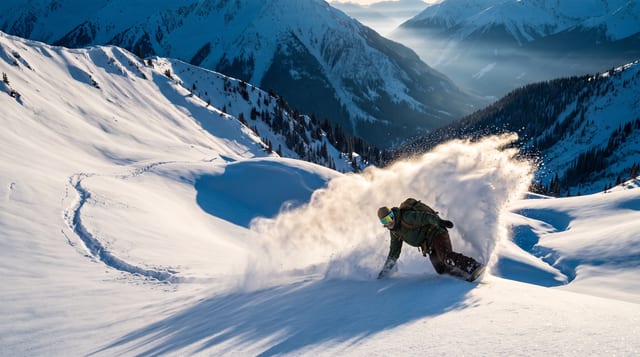
Bottomless
Drop into a waist-deep powder bowl on the morning after the storm and feel every turn throw a wall of snow into the sun.
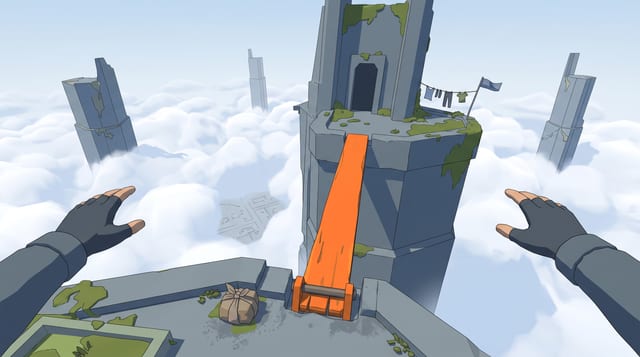
Thin Air Errands
Three hundred metres up, with a storm on the way, you carry your own plank between rooftops, lay it across the gap, and walk it with your arms out.
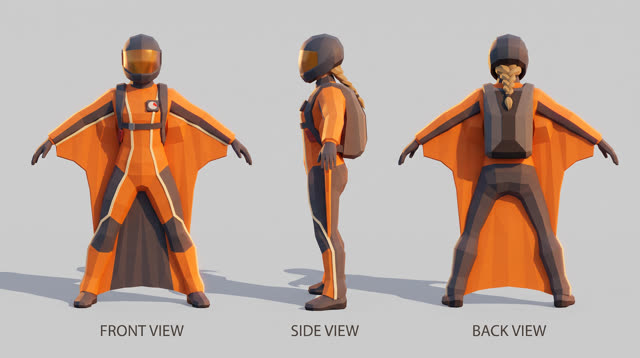
Fjordline
Leap from a granite wall under the midnight sun and carve one unbroken wingsuit line through Norway's most dramatic landscapes, from summit to sea, skimming close enough to touch the rock.
More Unity 6 techniques
Unity 6 URP RenderGraph Custom Screen-Space Pass →
Custom Unity 6 URP 17.6 ScriptableRendererFeature overriding RecordRenderGraph with transient TextureHandle creation and AddBlitPass.
Atmospheric Height Fog, Sun Shafts & Rim-Readable Lighting in Unity 6 URP →
Three-point outdoor/interior URP lighting recipe combining directional sun + warm/cool fill, exponential height/distance fog, ACES/Neutral post-processing, and anti-darkness floors so captures never read black or washed out.
Cel-Shading, Shadow Ramps & Width-Compensated Outlines in Unity 6 URP →
Two-pass URP stylized cel shader combining main-light shadow-attenuated diffuse ramps, crisp specular/rim accents, and clip-space distance-compensated inverted-hull outlines.
Active Ragdoll Falls & Bails on a Procedurally Posed Humanoid in Unity 6 →
Turn an animated or procedurally posed rigged humanoid into a muscled ragdoll at runtime (no Ragdoll Wizard) for falls and bails, with hinges that hold, no pop or one-step lag at the switch, PD muscle tone that decays, protective reflexes, and a clean hand-back to the animated rig.
Use verified techniques inside a real game
Describe your game idea for free or connect an MCP assistant to search and contribute techniques.