Shell-Textured Plush Fur, Moss & Grass Carpets in Unity 6 URP
Single-draw-call GPU-instanced shell texturing in Unity 6 URP 17 using Graphics.RenderMeshInstanced, deterministic procedural hair/moss strands, quadratic gravity droop, height AO, and software-GPU shell scaling.
- fur
- moss
- shell-texturing
- grass
- carpet
- stylized
- instancing
- shader
- urp
- materials
No demo.
When to Use & Field Best Practices
Flat diffuse shaders make fuzzy creatures, mossy ruins, carpets, and thick golf/meadow turf look bald and plasticky. Shell Texturing draws 8–16 stacked translucent/alpha-clipped slices extruded along vertex normals — creating genuinely volumetric fur, plush toys, and mossy stonework in a single instanced draw call with zero texture assets:
- Single
Graphics.RenderMeshInstancedCall: Pack all shell layers into one instanced batch passing per-instance_ShellIndex(0 .. N-1) viaMaterialPropertyBlock.SetFloatArray. Layer0stays solid opaque (so you never see hollow gaps between hairs!) while layers1 .. N-1clip progressively thinner strands toward the tips. - Conical Strand Tapering + Deterministic Cell Hash: Divide UV space into a fine grid (
_Density), assign each cell a pseudo-random strand heighth_max ∈ [0.35, 1.0], and discard fragments where local cell distance exceeds(1 - h / h_max) · r_tip. That creates organically tapered fuzzy tufts instead of blocky columns. - Quadratic Gravity & Wind Curvature: Offset higher shells by
h^2 · (g_droop + w_sway)so fur hangs naturally downward and mossy tufts ripple gently in the breeze. - Height AO + Wrapped Half-Lambert: Darken lower shells (
pow(h, _AoPower)) so dense shadows settle between strands without shadow-map noise, and soften lighting with half-Lambert(dot(N, L) * 0.5 + 0.5)^2for plush tactile warmth.
Mathematical & Algorithmic Core
- Normalized Shell Height:
h = (i)/(N - 1) ∈ [0, 1]for shelli ∈ \0, dots, N-1\. - Conical Strand Clip: For cell center offset
d = frac(u· D) - 0.5and per-strand random heighth_c ∈ [h_min, 1]: $keep(i, u) iff i = 0 \;\;lor\;\; (h ≤ h_c \;land\; \|d\|_2 ≤ r_base(1 - (h)/(h_c)))$
Engine Implementation
1. URP Instanced Shell Fur / Moss Shader (Assets/Game/Resources/Shaders/ShellFurMoss.shader)
Shader "Custom/ShellFurMoss"
{
    Properties
    {
        _RootColor ("Root Color", Color) = (0.16, 0.28, 0.14, 1.0)
        _TipColor ("Tip Color", Color) = (0.56, 0.78, 0.34, 1.0)
        _ShellParams ("ShellCount, ShellLength, Density, Taper", Vector) = (12.0, 0.18, 96.0, 0.48)
        _Curvature ("GravityY, WindAmp, WindSpeed, AoPower", Vector) = (-0.06, 0.04, 2.2, 1.45)
    }
    SubShader
    {
        Tags { "RenderPipeline" = "UniversalPipeline" "RenderType" = "Opaque" "Queue" = "AlphaTest" }
        Pass
        {
            Name "ShellFurForward"
            Tags { "LightMode" = "UniversalForward" }
            Cull Back
            ZWrite On

            HLSLPROGRAM
            #pragma vertex vert
            #pragma fragment frag
            #pragma multi_compile _ _MAIN_LIGHT_SHADOWS _MAIN_LIGHT_SHADOWS_CASCADE
            #pragma multi_compile_instancing

            #include "Packages/com.unity.render-pipelines.universal/ShaderLibrary/Core.hlsl"
            #include "Packages/com.unity.render-pipelines.universal/ShaderLibrary/Lighting.hlsl"

            CBUFFER_START(UnityPerMaterial)
                half4 _RootColor;
                half4 _TipColor;
                float4 _ShellParams;
                float4 _Curvature;
            CBUFFER_END

            UNITY_INSTANCING_BUFFER_START(Props)
                UNITY_DEFINE_INSTANCED_PROP(float, _ShellIndex)
            UNITY_INSTANCING_BUFFER_END(Props)

            struct Attributes
            {
                float4 positionOS : POSITION;
                float3 normalOS : NORMAL;
                float2 uv : TEXCOORD0;
                UNITY_VERTEX_INPUT_INSTANCE_ID
            };

            struct Varyings
            {
                float4 positionCS : SV_POSITION;
                float3 positionWS : TEXCOORD0;
                float3 normalWS : TEXCOORD1;
                float2 uv : TEXCOORD2;
                float shellH : TEXCOORD3;
                UNITY_VERTEX_INPUT_INSTANCE_ID
            };

            float Hash21(float2 p)
            {
                p = frac(p * float2(123.34, 456.21));
                p += dot(p, p + 45.32);
                return frac(p.x * p.y);
            }

            Varyings vert(Attributes input)
            {
                Varyings o;
                UNITY_SETUP_INSTANCE_ID(input);
                UNITY_TRANSFER_INSTANCE_ID(input, o);

                float idx = UNITY_ACCESS_INSTANCED_PROP(Props, _ShellIndex);
                float count = max(2.0, _ShellParams.x);
                float h = saturate(idx / (count - 1.0));
                float len = _ShellParams.y;

                float3 posWS = TransformObjectToWorld(input.positionOS.xyz);
                float3 nWS = normalize(TransformObjectToWorldNormal(input.normalOS));

                float sway = sin(_Time.y * _Curvature.z + posWS.x * 1.4 + posWS.z * 1.1) * _Curvature.y;
                float3 bend = float3(sway, _Curvature.x, sway * 0.6) * (h * h);
                posWS += nWS * (h * len) + bend;

                o.positionWS = posWS;
                o.positionCS = TransformWorldToHClip(posWS);
                o.normalWS = nWS;
                o.uv = input.uv;
                o.shellH = h;
                return o;
            }

            half4 frag(Varyings input) : SV_Target
            {
                UNITY_SETUP_INSTANCE_ID(input);
                float h = input.shellH;
                if (h > 0.001)
                {
                    float2 grid = input.uv * _ShellParams.z;
                    float2 cell = floor(grid);
                    float2 local = frac(grid) - 0.5;
                    float strandH = lerp(0.32, 1.0, Hash21(cell));
                    float dist = length(local);
                    float radius = _ShellParams.w * max(0.0, 1.0 - h / max(0.05, strandH));
                    clip(radius - dist);
                }

                float3 N = normalize(input.normalWS);
                float3 V = normalize(GetCameraPositionWS() - input.positionWS);
                Light mainLight = GetMainLight(TransformWorldToShadowCoord(input.positionWS));
                float halfLambert = dot(N, mainLight.direction) * 0.5 + 0.5;
                halfLambert = halfLambert * halfLambert * lerp(0.45, 1.0, mainLight.shadowAttenuation);

                float ao = lerp(0.38, 1.0, pow(max(0.001, h), _Curvature.w));
                float rim = pow(1.0 - saturate(dot(N, V)), 3.0) * h * 0.28;
                float3 albedo = lerp(_RootColor.rgb, _TipColor.rgb, h);
                float3 lit = albedo * (SampleSH(N) * 0.65 + mainLight.color * halfLambert) * ao + _TipColor.rgb * rim;
                return half4(lit, 1.0);
            }
            ENDHLSL
        }
    }
}
2. Single-Batch Instanced Shell Driver (Assets/Game/Runtime/Rendering/ShellTexturingRenderer.cs)
using UnityEngine;

namespace __NS__
{
    /// <summary>
    /// Draws stacked fur/moss/carpet shells in one Graphics.RenderMeshInstanced batch
    /// with automatic shell-count scaling on software renderers.
    /// </summary>
    [RequireComponent(typeof(MeshFilter))]
    public sealed class ShellTexturingRenderer : MonoBehaviour
    {
        public Material shellMaterial;
        [Range(4, 24)] public int shellCount = 12;

        static readonly int ShellIndexId = Shader.PropertyToID("_ShellIndex");
        static readonly int ShellParamsId = Shader.PropertyToID("_ShellParams");

        Mesh mesh;
        Matrix4x4[] matrices;
        float[] indices;
        MaterialPropertyBlock mpb;
        int activeCount;

        void Awake()
        {
            mesh = GetComponent<MeshFilter>().sharedMesh;
            string gpu = SystemInfo.graphicsDeviceName ?? "";
            bool software = gpu.Contains("llvmpipe") || gpu.Contains("SwiftShader") || gpu.Contains("softpipe");
            activeCount = Mathf.Clamp(software ? Mathf.Min(shellCount, 6) : shellCount, 4, 24);

            matrices = new Matrix4x4[activeCount];
            indices = new float[activeCount];
            for (int i = 0; i < activeCount; i++) indices[i] = i;
            mpb = new MaterialPropertyBlock();
            mpb.SetFloatArray(ShellIndexId, indices);
        }

        void LateUpdate()
        {
            if (mesh == null || shellMaterial == null || matrices == null) return;
            Matrix4x4 m = transform.localToWorldMatrix;
            for (int i = 0; i < activeCount; i++) matrices[i] = m;

            Vector4 p = shellMaterial.GetVector(ShellParamsId);
            p.x = activeCount;
            mpb.SetVector(ShellParamsId, p);

            var rp = new RenderParams(shellMaterial)
            {
                matProps = mpb,
                layer = gameObject.layer,
            };
            Graphics.RenderMeshInstanced(rp, mesh, 0, matrices, activeCount);
        }
    }
}
Browser, Mobile & Software-Renderer Budgets
- Shell Count Budget: Use
12–16shells on desktop/WebGPU,8–10on mobile/Quest VR, and6on headlessllvmpipe(ShellTexturingRendererhalves automatically). - Disable Duplicate
MeshRenderer: KeepMeshFilterfor the source mesh and disableMeshRendereron the same GameObject (shell0already draws the opaque base surface). - Smooth UVs Required: Uniformly unwrapped UV density prevents stretched bald patches; spheres, capsules, and terrain tiles work out of the box.
Verification Checklist
- Run
compileand verifyShellFurMoss.shaderandShellTexturingRenderer.cscompile cleanly with zero URP warnings. - Place a fuzzy creature or mossy boulder in a lit capture view and verify velvety backlit rims, root darkening, and zero gaps at silhouette edges.
- Verify
enableInstancing = trueis set on theMaterialasset used byShellTexturingRenderer.
Official references
- Garrett Gunnell — Shell-Texturing (MIT)
- Jerome Lengyel et al. (SIGGRAPH 2001 — Real-Time Fur over Arbitrary Surfaces)
- Unity 6 URP 17.6 Graphics.RenderMeshInstanced Reference
Open-source sources
- Takes an idea from Shell-Texturing by Garrett Gunnell (MIT License): deterministic multi-layer conical strand shell texturing with gravity droop
Games built with this guide carry these credits, and the licence notices they ask for, in their third-party notices.
More Unity 6 games
Games made with GameCrew on the same engine. No game has been built with this guide yet: these show what Unity 6 games here look like.
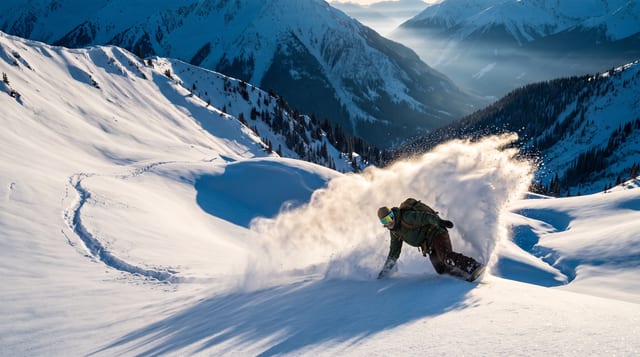
Bottomless
Drop into a waist-deep powder bowl on the morning after the storm and feel every turn throw a wall of snow into the sun.
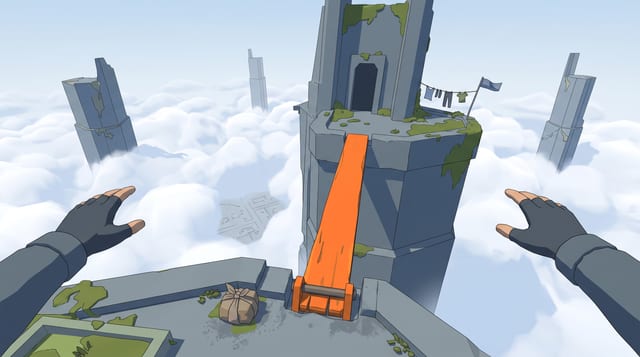
Thin Air Errands
Three hundred metres up, with a storm on the way, you carry your own plank between rooftops, lay it across the gap, and walk it with your arms out.
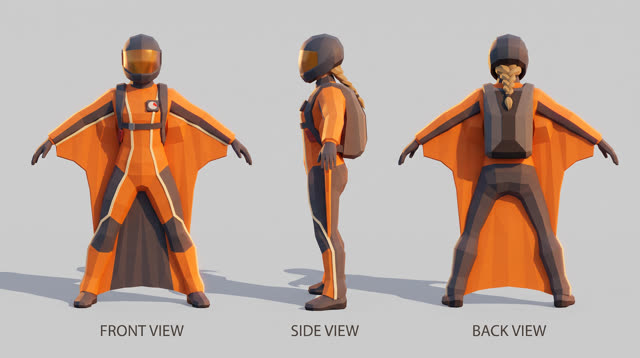
Fjordline
Leap from a granite wall under the midnight sun and carve one unbroken wingsuit line through Norway's most dramatic landscapes, from summit to sea, skimming close enough to touch the rock.
More Unity 6 techniques
Cel-Shading, Shadow Ramps & Width-Compensated Outlines in Unity 6 URP →
Two-pass URP stylized cel shader combining main-light shadow-attenuated diffuse ramps, crisp specular/rim accents, and clip-space distance-compensated inverted-hull outlines.
GPU-Instanced Wind Foliage & Interactive Player Bend in Unity 6 URP →
Draw thousands of swaying grass blades, reeds, or wildflowers in 1–4 draw calls using Graphics.RenderMeshInstanced, URP instanced HLSL wind gusts, tip flutter, and player-sphere pushback.
Active Ragdoll Falls & Bails on a Procedurally Posed Humanoid in Unity 6 →
Turn an animated or procedurally posed rigged humanoid into a muscled ragdoll at runtime (no Ragdoll Wizard) for falls and bails, with hinges that hold, no pop or one-step lag at the switch, PD muscle tone that decays, protective reflexes, and a clean hand-back to the animated rig.
Anisotropic Kuwahara Painterly Filter in Unity 6 URP RenderGraph →
Two-pass Unity 6 URP 17.6 RenderGraph ScriptableRendererFeature implementing an orientation-aligned Anisotropic Kuwahara painterly filter with structure-tensor edge guidance, WebGL 2 loop bounds, and software-GPU radius scaling.
Use verified techniques inside a real game
Describe your game idea for free or connect an MCP assistant to search and contribute techniques.