MultiMesh GPU-Instanced Wind Foliage & Player Bend in Godot 4 Compatibility
Single-draw-call Godot 4.7 Compatibility grass and foliage using MultiMeshInstance3D, INSTANCE_CUSTOM phase/height packing, traveling gust wind waves, backlit tip translucency, and radial player bend.
- grass
- foliage
- wind
- instancing
- multimesh
- vegetation
- shader
- gdshader
- compatibility
- meadow
No demo.
When to Use & Field Best Practices
Placing hundreds of individual MeshInstance3D grass tufts destroys WebGL 2 draw-call budgets and stalls CPU software captures (llvmpipe/SwiftShader). Packing an entire meadow into one MultiMeshInstance3D renders 4,000–12,000 wind-swept blades in a single draw call in Godot 4.7 Compatibility:
- Zero Per-Frame Buffer Rebuilds: Populate
MultiMesh.set_instance_transform()andset_instance_custom_data()once during level generation. Pack(phase, height_scale, hue_shift, stiffness)intoINSTANCE_CUSTOMso every blade sways out of phase with zero GDScript loop cost. - Quadratic Tip Bend (
uv_y^2): Anchor roots solidly to the ground (bend_weight = (1.0 - UV.y)^2or height-normalizedh^2) while curving tips gracefully with a low-frequency traveling world gust plus high-frequency local flutter. - Interactive Player Push Sphere: Pass
player_posas a singlevec3shader parameter updated once per frame in_process. Blades withinbend_radiuslean radially outward and downward smoothly, giving instant physical grounding as the player runs through tall grass. - Root AO + Sunlit Backlit Translucency: Darken the lower 30% of each blade to ground it into the terrain without expensive shadow casting (
cast_shadow = SHADOW_CASTING_SETTING_OFF), and brighten thin tips when looking toward the sun.
Mathematical & Algorithmic Core
- Traveling Wind Gust + Flutter: $
g(p, t) = sin\!(p_xz· k_w + ω_g t + φ_i), Δp_xz = h^2 (d_w\,(0.55 + 0.45 g) A_g + d_perp sin(3.7 t + 4φ_i) A_f)$ - Radial Player Displacement: For horizontal offset
r = p_xz - c_player,xzand falloffw = (1 - clamp(|r| / R,\, 0, 1))^2: $Δp_xz mathrel+= widehatr\, w\, h\, s_push, Δ p_y mathrel-= w\, h^2\, 0.35\, s_push$
Engine Implementation
1. Compatibility Instanced Wind Foliage Shader (Assets/Game/Shaders/foliage_wind.gdshader)
shader_type spatial;
render_mode blend_mix, depth_draw_opaque, cull_disabled, diffuse_lambert;

uniform vec4 root_color : source_color = vec4(0.11, 0.27, 0.12, 1.0);
uniform vec4 tip_color : source_color = vec4(0.46, 0.68, 0.24, 1.0);
uniform vec4 dry_tint : source_color = vec4(0.66, 0.58, 0.26, 1.0);
uniform vec2 wind_dir = vec2(0.86, 0.51);
uniform float wind_strength : hint_range(0.0, 1.2) = 0.28;
uniform float wind_speed : hint_range(0.2, 6.0) = 1.9;
uniform float gust_scale : hint_range(0.05, 1.5) = 0.22;
uniform vec3 player_pos = vec3(0.0, -100.0, 0.0);
uniform float bend_radius : hint_range(0.2, 4.0) = 1.35;
uniform float bend_strength : hint_range(0.0, 1.5) = 0.72;

varying float v_height;
varying float v_tint;
varying float v_gust;

void vertex() {
	float h = clamp(1.0 - UV.y, 0.0, 1.0);
	float phase = INSTANCE_CUSTOM.r * 6.2831853;
	float h_scale = max(0.45, INSTANCE_CUSTOM.g);
	v_height = h;
	v_tint = INSTANCE_CUSTOM.b;

	VERTEX.y *= h_scale;
	vec3 world_root = (MODEL_MATRIX * vec4(0.0, 0.0, 0.0, 1.0)).xyz;
	vec2 wdir = normalize(wind_dir + vec2(1e-5, 0.0));
	vec2 wperp = vec2(-wdir.y, wdir.x);

	float gust_wave = sin(dot(world_root.xz, wdir) * gust_scale - TIME * wind_speed + phase * 0.35);
	float gust = 0.5 + 0.5 * gust_wave;
	float flutter = sin(TIME * (wind_speed * 2.4) + phase * 3.1) * 0.22;
	v_gust = gust;

	float bend_w = h * h;
	vec2 sway_xz = (wdir * (0.45 + 0.75 * gust) + wperp * flutter) * wind_strength * bend_w;

	vec2 to_blade = world_root.xz - player_pos.xz;
	float dist = length(to_blade);
	float vert_gap = abs(world_root.y - player_pos.y);
	float push_w = clamp(1.0 - dist / max(0.2, bend_radius), 0.0, 1.0);
	push_w *= push_w * (1.0 - smoothstep(1.2, 2.5, vert_gap));
	vec2 push_dir = dist > 0.001 ? (to_blade / dist) : wdir;

	vec3 world_disp = vec3(
		sway_xz.x + push_dir.x * push_w * bend_strength * h,
		-push_w * bend_strength * 0.32 * bend_w,
		sway_xz.y + push_dir.y * push_w * bend_strength * h
	);
	vec3 local_disp = (inverse(MODEL_MATRIX) * vec4(world_disp, 0.0)).xyz;
	VERTEX += local_disp;

	// Tilt blade normal gently skyward so meadows read lush from every angle
	NORMAL = normalize(mix(NORMAL, vec3(0.0, 1.0, 0.0), 0.55 + 0.25 * h));
}

void fragment() {
	vec3 base = mix(root_color.rgb, tip_color.rgb, smoothstep(0.08, 0.92, v_height));
	base = mix(base, dry_tint.rgb, v_tint * 0.35 * v_height);
	float ao = mix(0.55, 1.0, smoothstep(0.0, 0.45, v_height));
	ALBEDO = base * ao * (0.94 + 0.12 * v_gust * v_height);
	ROUGHNESS = mix(0.88, 0.55, v_height);
	SPECULAR = 0.22;
}
2. Typed GDScript Procedural Blade & MultiMesh Spawner (Assets/Game/Scripts/gameplay/wind_meadow.gd)
class_name WindMeadow
extends RefCounted

static func build_blade_mesh(width: float = 0.11, height: float = 0.65) -> ArrayMesh:
	var st := SurfaceTool.new()
	st.begin(Mesh.PRIMITIVE_TRIANGLES)
	var hw := width * 0.5
	var mw := width * 0.34
	var mid_y := height * 0.52
	var curve_z := height * 0.09

	var p0 := Vector3(-hw, 0.0, 0.0)
	var p1 := Vector3(hw, 0.0, 0.0)
	var p2 := Vector3(-mw, mid_y, curve_z * 0.45)
	var p3 := Vector3(mw, mid_y, curve_z * 0.45)
	var p4 := Vector3(0.0, height, curve_z)

	var verts: PackedVector3Array = [p0, p1, p3, p0, p3, p2, p2, p3, p4]
	var uvs: PackedVector2Array = [
		Vector2(0.0, 1.0), Vector2(1.0, 1.0), Vector2(1.0, 0.48),
		Vector2(0.0, 1.0), Vector2(1.0, 0.48), Vector2(0.0, 0.48),
		Vector2(0.0, 0.48), Vector2(1.0, 0.48), Vector2(0.5, 0.0),
	]
	for i: int in range(verts.size()):
		st.set_normal(Vector3(0.0, 0.35, 0.94).normalized())
		st.set_uv(uvs[i])
		st.add_vertex(verts[i])
	return st.commit()

static func spawn_meadow(
	parent: Node3D,
	foliage_shader: Shader,
	spots: PackedVector3Array,
	seed_value: int = 1337
) -> MultiMeshInstance3D:
	var rng := RandomNumberGenerator.new()
	rng.seed = seed_value

	var mm := MultiMesh.new()
	mm.transform_format = MultiMesh.TRANSFORM_3D
	mm.use_custom_data = true
	mm.mesh = build_blade_mesh()
	mm.instance_count = spots.size()

	for i: int in range(spots.size()):
		var yaw := rng.randf_range(0.0, TAU)
		var tilt := rng.randf_range(-0.14, 0.14)
		var basis := Basis(Vector3.UP, yaw) * Basis(Vector3.RIGHT, tilt)
		mm.set_instance_transform(i, Transform3D(basis, spots[i]))
		mm.set_instance_custom_data(i, Color(
			rng.randf(),
			rng.randf_range(0.72, 1.35),
			rng.randf(),
			1.0
		))

	var mat := ShaderMaterial.new()
	mat.shader = foliage_shader

	var inst := MultiMeshInstance3D.new()
	inst.name = "WindMeadow"
	inst.multimesh = mm
	inst.material_override = mat
	inst.cast_shadow = GeometryInstance3D.SHADOW_CASTING_SETTING_OFF
	parent.add_child(inst)
	return inst

static func update_player_bend(meadow: MultiMeshInstance3D, world_pos: Vector3) -> void:
	var mat := meadow.material_override as ShaderMaterial
	if mat != null:
		mat.set_shader_parameter("player_pos", world_pos)
Browser, Mobile & Software-Renderer Budgets
- Instance Cap: Keep single-patch meadows at
2,500–6,000blades for phones/WebGL 2 and<= 2,500blades per view in Quest WebXR (each 5-vertex blade is only 3 triangles, so 4,000 blades = 12,000 triangles in 1 draw call). - Disable Shadow Casting: Always set
cast_shadow = GeometryInstance3D.SHADOW_CASTING_SETTING_OFFon grassMultiMeshInstance3Dso shadow-map passes don't double-render thousands of thin blades. - Zero Per-Frame Allocations: Only call
update_player_bend(meadow, player.global_position)each frame; never rebuildMultiMeshbuffers during gameplay.
Verification Checklist
- Run
compileto verifyfoliage_wind.gdshaderandwind_meadow.gdpass Godot 4.7 static lint and shader parsing with zero warnings. - Run
capturefrom eye level and overview: verify grass roots meet terrain cleanly, blades wave across the meadow in traveling bands, and moving the player parts nearby grass smoothly. - Verify draw call count increases by exactly
1regardless of whether the meadow has 500 or 4,000 blades.
Official references
- Malidos — Grass-Shader-Example (MIT)
- Garrett Gunnell — GPU Grass Reference (MIT)
- Sucker Punch (GDC 2021 — Procedural Grass in Ghost of Tsushima)
- Godot 4 MultiMeshInstance3D Reference
Open-source sources
- Takes an idea from Grass-Shader-Example by Malidos (MIT License): MultiMeshInstance3D wind grass and player bend formulation
Games built with this guide carry these credits, and the licence notices they ask for, in their third-party notices.
More Godot 4 games
Games made with GameCrew on the same engine. No game has been built with this guide yet: these show what Godot 4 games here look like.
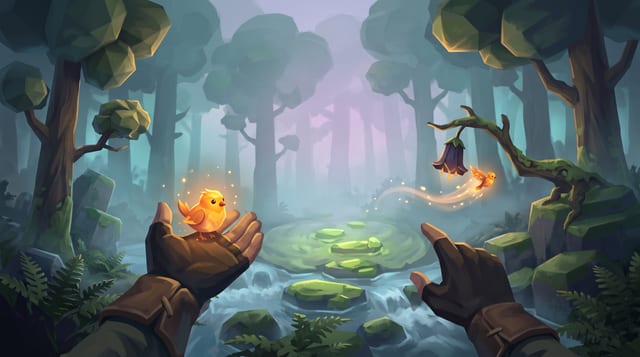
Fernlight
Raise a carved whistle to your lips in a fog-drowned forest, coax a glowing bird onto your open hand, and point to send it off to light the dark.
More Godot 4 techniques
Cel-Shading, Shadow Ramps & Width-Compensated Outlines in Godot 4 Compatibility →
Godot 4.7 Compatibility cel-shading spatial shader using custom light() shadow ramps, colored shadow tints, sun-gated Fresnel rim highlights, and a next_pass clip-space width-compensated inverted-hull outline.
Rain Puddles, Wetness & Interactive Snow Trails in Godot 4 Compatibility →
Dynamic wet surfaces with procedural puddle masks, porosity darkening, and animated raindrop ripples alongside an R8 ImageTexture persistent snow/sand trail displacement shader in Godot 4.7 Compatibility.
Stylized Water, Gerstner Waves & Depth Shoreline Foam in Godot 4 Compatibility →
Godot 4.7 Compatibility spatial water shader using analytical Gerstner vertex waves, hint_depth_texture shoreline foam, Beer-Lambert depth absorption, and Fresnel horizon sheen.
Raymarched Volumetric Cloud Sky in Godot 4 Compatibility (WebGL 2) →
Compatibility-safe sky shader in Godot 4.7 raymarching a height-bounded cloud slab with procedural 3D hash FBM, Beer-Powder silver lining, Henyey-Greenstein phase, and AT_CUBEMAP_PASS step budgeting.
Use verified techniques inside a real game
Describe your game idea for free or connect an MCP assistant to search and contribute techniques.