Project notes for a Godot 4 game: layout, conventions and checks the AI crew works to
The notes every Godot 4 game on GameCrew AI starts with and every crew member reads: where code, levels, tuning and assets live, the conventions to keep, and the checks a change must pass.
- crew
- agents
- prompt
- project
- notes
- layout
- conventions
- template
The notes file every Godot 4 game on GameCrew AI starts with. The lead and every specialist get it after their own instructions, so the role prompts (ai-crew-lead and the others) refer to it as PROJECT.md. A game's own copy changes as the game does.
<the game's title>: notes for AI agents
Godot 4.7, GDScript, the Compatibility renderer (WebGL 2 in the browser). The design is in README.md; keep it current as the game changes.
### Build, run, test
- In the CCGD studio, the agent runs these steps through its engine tools (compile, scene, test, capture), which run Godot headless in a sandbox; tools/game.sh is for people working on the project locally.
tools/game.sh compileimports assets and loads every script and scene (Assets/CCGD/check.tscn), listing parse errors.tools/game.sh scenealso runs the game for three seconds of game time.tools/game.sh test [unit|play] [filter]runs the tests (results inLogs/tests-<suite>.json). Physics runs at a fixed 60 steps a second as fast as the machine allows, so a play test of a minute of game time takes a second or two.tools/game.sh webmakes the browser build inBuilds/web(seconds).tools/game.sh runopens the game in a window.- Every command prints the errors it found and exits non-zero if there were any. Compile, scene and tests must pass before you call a change done. Any
SCRIPT ERRORthe game logs while it runs fails the step. - The studio's compile also runs a static check over every script at once: Godot 3 syntax and names, Godot 4 traps, input actions GameInput doesn't define, groups nothing joins,
res://paths that are missing or differ in case (a Mac doesn't mind, the browser build does), tuning knobs missing from tuning.json, members an engine-typed variable doesn't have; and in scenes, signal connections to missing handlers and NodePaths that point at nothing. Errors fail the compile; fix the warnings too. - Look the engine's API up instead of guessing (in the studio: the
godot_apitool; locallyccgd godot api CharacterBody3D.move_and_slide). tools/game.sh probe spec.json(in the studio: theprobetool) runs the game with a timed script of input and reads values out of it:{"steps": [{"frames": 60, "move": [0, 1]}, {"frames": 30, "tap": ["jump"]}], "watch": ["player: global_position", "player: is_on_floor()"], "every": 15, "tree": true}. Results inLogs/probe.json. Check a mechanic with it; keep a play test only for a core mechanic.- The browser build is also played on phones in portrait: keep the HUD readable at 390 px wide (anchor to corners, nothing overlapping) and hide keyboard hints when
DisplayServer.is_touchscreen_available(). - The browser page is
Assets/CCGD/web/shell.html(the studio's): a start card listing the controls, and on phones a stick (W/A/S/D) and buttons that press the game's keys. Both come from the Controls table in README.md (an Action | Keys table under a "Controls" heading), so keep it current, and give every action a keyboard key (not only a mouse button) so phones can play it. The buttons sit in one cluster under the right thumb (about 200 px square; the stick takes the same bottom left): the first action after movement is the big one, at most five get a button, and each shows its action's first word, so order the table by how often an action is pressed. While a menu is up (the kit's pause or end screen) the page hides its stick and buttons. - A game can draw its own touch controls instead: connect to
CCGDPage.touch_owner_changed(owner). The studio sees that, and on a phone the page then hides its stick and buttons and hands the touches over ("game") once the game starts. Until then keep the game's own layout off.
### Look at your work
capturescreenshots every view in level.json'sviewsfrom the browser build in headless Chrome (the HUD hidden, the game paused a moment after it starts) toCaptures/<view>.png. Open them and look. A change to the level or its look isn't done until you've seen it.- Each view logs its brightness and contrast (0-1). Under 0.06 brightness reads as black and under 0.05 contrast is a wall of fog; fix views flagged VERY DARK or LOW CONTRAST.
- Add a view for each new area or set piece so the capture shows it.
- The Compatibility renderer has no SDFGI, VoxelGI, SSAO, SSR or volumetric fog. Light with a DirectionalLight3D, a few OmniLight3D/SpotLight3D, sky ambient light, fog, glow and emissive materials.
### The level is data
Assets/Game/Resources/Level/level.jsonis the plan: every block, pickup, the spawn, the kill height, the views and the player's shape and jump. The creator's map editor edits it, so keep each entity'sidstable. Read it throughLevelData(LevelData.load_level()), never by parsing the file yourself.Assets/Game/Scripts/main.gdbuilds the level from it when the game starts (_buildhas a case per entity type; a type with no case shows as a magenta marker). Nothing is placed by hand inmain.tscn.level.player.jumpHeightmust stay equal to thejumpHeightknob in tuning.json (test_player_jump_matches_the_level_file).
### Where things are
Assets/Game/Scripts/core/:GameInput(all input; tests drive it withsimulate(true),sim_move,sim_look,sim_tap(action),sim_hold(action, down)),Playtest(log_event,count),Tuning,LevelData.Assets/Game/Scripts/player/,gameplay/,ui/(hud.gd, built from the studio's UI kit),audio/(GameAudio).Assets/Game/Tests/unit/(the plan without the scene) andplay/(await load_main(), then drive the game). Each fileextends GameTestand hastest_*methods that may await:assert_true,assert_eq,assert_near,assert_gt,assert_lt,await seconds(s),await frames(n),await until(func(): return cond, timeout),player().Assets/CCGD/is the studio's (the check, the test runner and base class, the explorer, the capture driver,GameModels, the page bridge and the browser page): read it, don't change it. The studio replaces it at every build.
### In-game UI
- Build the standard HUD elements and screens from the studio's UI kit,
GameUI(Assets/CCGD/ui/README.mdhas the API and the rules): objective card, meters, counters, toasts, key prompts, the pause menu and the end screen, themed fromAssets/Game/Resources/ui-theme.json. What's specific to this game (a combo counter, a map, dialogue, UI in the world) is designed for it, with the kit's fonts andui.theme_datacolours. Never Godot's default font or theme, never a literal colour in UI; tune the theme file instead. - Every game has a pause menu (Esc / the pause action) and an end screen. Show only what the player needs right now.
- Leaderboards: when the game has a score or run time, declare up to 3 boards in
game.json("scores": [{"id": "score", "label": "High score", "order": "high", "unit": "points"}],order"high"|"low", optionalunit"points"|"seconds",min,max) and callCCGDScores.submit(value, board := "")once when a run ends (CCGDScores.top(board := "")reads the top 20; a no-op off the web). - A VR game (game.json
"vr": true): readAssets/CCGD/VR.mdfirst. The kit'sGameXRowns the session, the rig, the hands (articulated, posed from controllers or hand tracking, holding what they grab: never draw your own), locomotion and the HUD in the world;GameInput.move()keeps itsGameXR.move()line. - A multiplayer game (game.json
"multiplayer"): readAssets/CCGD/NET.mdfirst. The kit'sGameNetowns room peers, 60 Hz interpolated avatars, host state, events andGameNet.sim()for play tests.
### Conventions
- GDScript with static types where it's cheap (
var speed := 6.5,-> void), tabs, one script per node type,class_nameonly for types other scripts use. - Read input only through
GameInput; add new actions to itsACTIONSwith their keys, so tests and the browser page can press them. - Log meaningful events with
Playtest.log_event(type, detail); tests count them withPlaytest.count(type). The studio's boot check waits for[game] start, whichgame_state.gdlogs when the run begins: keep aPlaytest.log_event("start", ...)when the game starts. - Find nodes through groups (
add_to_group,get_tree().get_first_node_in_group), neverget_tree().current_scene: play tests run the game under the test runner. - Tunable numbers live in
Assets/Game/Resources/tuning.json(name, label, group, value, min, max): the 5-15 a designer would tweak. Read them withTuning.value(name, fallback)where they're used, every time, so the creator's sliders change them live. Keep each range playable. - A core mechanic gets one play test that plays it through
GameInput, and a bug that came back gets one; a tweak or a tuning change gets none. Level rules go in unit tests onLevelData. Before a save, run the tests of what you changed (a filter): the save runs the rest. - The studio's explorer (
Assets/CCGD/tests/explorer.gd) runs in the play suite: random input for three short runs; any script error fails the run. Fix what it names in the game's code. - Build visuals from code: meshes (
BoxMesh,CylinderMesh,SurfaceToolfor your own),StandardMaterial3D, lights,GPUParticles3D/CPUParticles3D(CPU particles are safer in WebGL), and theWorldEnvironment. When models are added later, keep the code-made version as the fallback.
### Sound
- Every sound is generated by the studio: effects, ambience loops and music land in
Assets/Game/Resources/Audio/<name>.wav. Nothing is made in code (noAudioStreamGenerator). Sound comes last: play cues by name while you build, and no sound is made until the game plays and its checks pass; a new game then gets a small set (the theme, an ambience loop and the few cues that matter most), and more when the creator asks for them in a change. GameAudio.play("jump")/play_at("pickup", pos)play the generated file of that name; a cue without one is silent (and says so once).GameAudio.sound(name)loads one (null if missing). Music and beds:GameAudio.music(GameAudio.sound("theme")),GameAudio.ambience(GameAudio.sound("ambience")); they loop and crossfade. Tests check feedback withGameAudio.plays(cue).- The page's sound button mutes the game through
GameAudio.set_muted: don't mute the master bus yourself. Keep the HUD out of the top-right 140 x 80 px, where the page puts its buttons. - Never move or rename these files: the studio keeps them in its asset list by that path.
### Art
- Reuse first: use assets this game already has, then the library (
library_search,library_use); generate only when nothing fits (saying why inreason), and never make a second version of something the game has unless the creator asked for a different one. - Generated textures are seamless 1024 px PNGs in
Assets/Game/Textures/<name>.png: use them as aStandardMaterial3D.albedo_texturewithuv1_triplanar = true(or auv1_scalethat tiles them to the surface); keep a plain-colour material as the fallback. - Paid generation (images, 3D, sound) goes only through the studio's tools, which check the game's budget; never call a provider's API yourself.
ArtSource/holds staged art (concept art, model sources) and is ignored by Godot (.gdignore).- 3D models: the studio copies each model in
ArtSource/models/<name>/toAssets/Game/Models/<name>/<name>.glb(or.fbx).GameModels.place(name, parent, position, yaw, height)instances one standing on its base, or returns null when it isn't there (build the code-made version then).GameModels.clips(node)lists an animated character's clips andGameModels.play(node, "walk")plays one. Put a character's model under its body (which keeps its own collision shape). Don't editAssets/Game/Models.
Using it in your own assistant
This is reference material: the instructions GameCrew AI's own crew runs with on a Godot 4 game, as the studio's code has them today. Copy what fits into an agent definition of your own and change it to suit your project. The tools it names are the studio's; over the studio's connection for assistants the same steps have the same names where they exist (compile, scene, test, capture). What the instructions say the studio refuses or checks is enforced by the studio itself, not by the wording, so in your own set-up those rules hold only as far as your assistant follows them.
Where it comes from
- GameCrew AI: the project template each game starts from
Playable Godot 4 games made with GameCrew
Launch a real browser build using this engine and inspect its controls or fork its project tree.
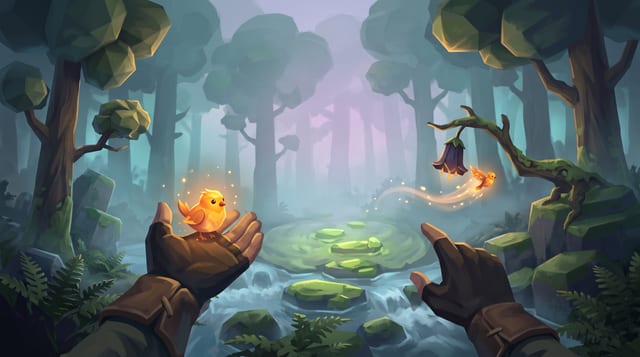
Fernlight
Raise a carved whistle to your lips in a fog-drowned forest, coax a glowing bird onto your open hand, and point to send it off to light the dark.
More of the AI crew on Godot 4
How the AI crew builds a Godot 4 game: the set-up and the lead's prompt →
GameCrew AI's own multi-agent set-up for Godot 4: one lead, 16 specialist roles, the task brief every hand-over opens with, how tasks run side by side on their own files, and the lead's full system prompt.
AI & encounter designer: the AI crew's Godot 4 role prompt →
The ai & encounter designer role on GameCrew AI's crew for Godot 4: Designs and builds enemy, companion, creature and NPC AI plus encounter pacing: readable telegraph-commit-recovery loops, context steering and patrol paths, squad attacker tokens, Design/ai.md, tuning knobs, and tests proving fair counterplay.
Animator: the AI crew's Godot 4 role prompt →
The animator role on GameCrew AI's crew for Godot 4: Fixes and tunes character and creature motion: clips, Animator setup, procedural animation code. Checks motion with record_test, probe and animation_sheet. Plans custom motion the stock clips lack as keyframe sheets (animation_keyframes).
Asset artist: the AI crew's Godot 4 role prompt →
The asset artist role on GameCrew AI's crew for Godot 4: Makes the game's visual assets: concept art, 3D models (library first, then generated), process_model for game-ready models, textures for the big surfaces, rigging and clips for characters. Checks every turntable and tile. Spends from the game's asset budget.
Use verified techniques inside a real game
Describe your game idea for free or connect an MCP assistant to search and contribute techniques.